An online store is a conversation that happens in short bursts. Someone lands on a product, leaves, comes back three days later, buys once and may never return unless something gives them a reason. Email is the channel that fills those gaps. It costs little per message, it reaches people who asked to hear from you and it can be triggered by exactly what they did on the site. This guide covers ecommerce email marketing end to end: the flows every store should build first, the campaigns worth putting on a calendar, how to use product data inside messages, how to measure what email really earns and a 30-day plan for stores that are starting from a bare newsletter.
What ecommerce email marketing covers
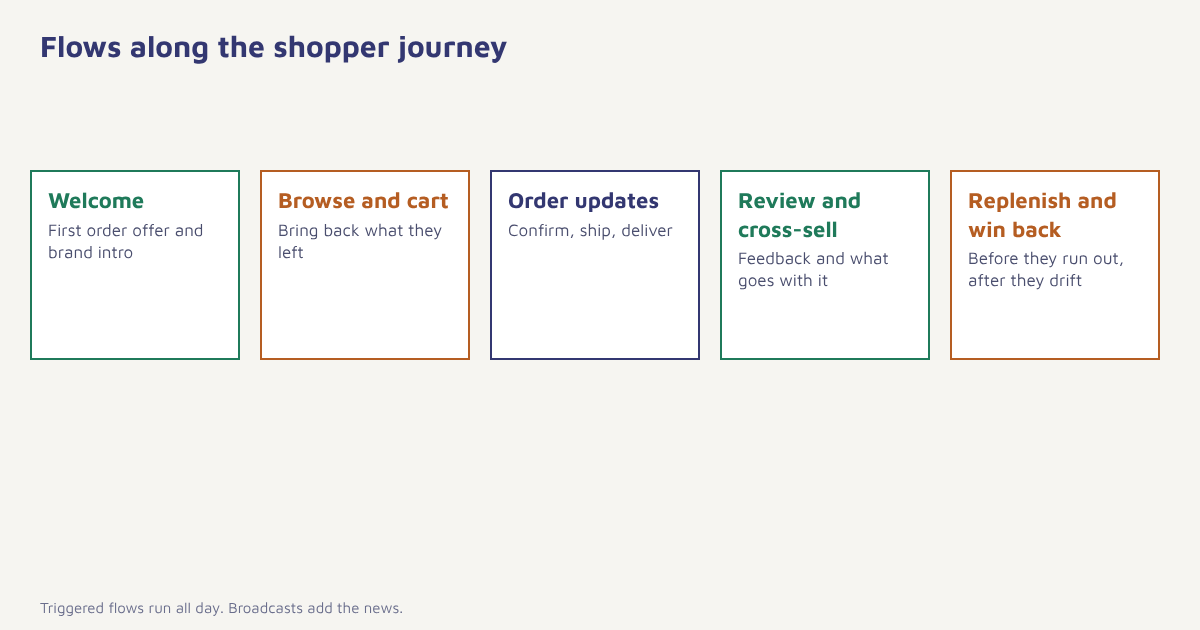
Email marketing for an online store is different from a content newsletter in one important way: most of its value comes from messages triggered by shopping behaviour, not from broadcasts. A welcome message when someone subscribes, a reminder when a basket is left, a thank-you after delivery, a nudge when a regular purchase is due. Broadcast campaigns for launches and sales matter too, but the always-on flows quietly do much of the work, and they keep working while the team is busy elsewhere. For the wider case for the channel, see our guide to the benefits of email marketing.
The flows to build first
| Flow | Trigger | Goal | Typical timing |
|---|---|---|---|
| Welcome series | New subscriber or account | Introduce the brand, deliver any promised offer, drive a first order | Immediately, then over about a week |
| Browse follow-up | Viewed products, no cart | Bring the shopper back to what they looked at | A few hours after the visit. See browse abandonment |
| Cart recovery | Items added, no order | Recover the sale and answer doubts | 1 to 4 hours, then a day later. See cart recovery |
| Order confirmation and shipping | Order placed, dispatched, delivered | Reassure, reduce support calls | Instantly. See transactional emails |
| Review and cross-sell | Order delivered | Collect feedback, suggest what goes with it | Several days after delivery. See review requests |
| Replenishment | Expected end of product life | Remind before the customer runs out | Based on average reorder gap |
| Back in stock | Customer asked to be told | Convert known demand | As soon as stock returns. See back-in-stock alerts |
| Win-back | No activity for a set period | Bring lapsed customers back | Based on your usual buying rhythm. See win-back campaigns |
If you can only build three, start with the welcome series, cart recovery and the post-purchase sequence. Together they cover the first impression, the biggest leak in most stores and the moment when a customer is most likely to buy again. The step-by-step logic behind each is described in our guides to drip campaigns and email automation examples.
Campaigns worth putting on a calendar
Broadcast campaigns still earn their place when they carry real news. Plan them around the moments your customers already care about: new arrivals, restocks, seasonal ranges, festivals and sales. Spread them so that no customer gets a promotion every other day.
| Campaign | When | Notes |
|---|---|---|
| New collection or launch | At release, with an early-access email for loyal customers first | See product launch marketing |
| Festival and seasonal | Start building a few weeks earlier than feels natural | See festival campaigns, Black Friday and Christmas ideas |
| Flash sale | Short, announced once, reminded once | See flash sale marketing |
| Content and guides | Fortnightly or monthly | Care guides, buying guides, styling advice |
| Loyalty updates | When points or tiers change | See loyalty programme examples |
Growing a list that buys
A store list grows from four places: the site (pop-ups, footer, account sign-up), checkout (an unticked opt-in box), packaging and cards (a QR code with a clear reason to join) and customer service (a chat or call that ends with permission). Capture consent clearly and record where each address came from, as covered in our guide to email list building. Offer something specific: first-order discount, early access, sizing advice, a restock alert. A vague "join our newsletter" earns far less than a clear benefit. Keep the list clean with the habits in email list cleaning, because a list full of dead addresses hurts the delivery of every message you send.
Segment by what shoppers do
Stores have the best segmentation data of any business type, because every view, search, cart and order is a signal. A few groups cover most needs: first-time buyers, repeat buyers, high-value customers, discount-led buyers, category fans and customers who have gone quiet. The method is explained in behavioral segmentation and RFM analysis. In Flowfox the segment builder reads order and browsing events from the data model, so groups update as people shop and the right flow starts without a manual export.
Putting product data inside the email
The strongest store emails show the exact product, price and stock status the shopper cares about. That means feeding order and catalogue data into the template. The snippet below shows the idea in a Liquid-style template; syntax differs between tools, so treat it as an illustration and read our Liquid guide for the real details.
<!-- Illustrative template logic -->
{% for item in cart.items %}
  <tr>
    <td><img src="{{ item.image_url }}" width="80" alt="{{ item.name }}"></td>
    <td>{{ item.name }}<br>Qty {{ item.quantity }}</td>
    <td>Rs {{ item.price }}</td>
  </tr>
{% endfor %}
<a href="{{ cart.recovery_url }}">Return to your basket</a>
Always test with products that have long names, missing images and zero stock, because those are the cases that break layouts. Keep the design simple, with one clear button, as explained in email design best practices, and write copy that sounds like a person, using the ideas in email copywriting.
Measure what email actually earns
Opens are a weak signal for stores, because privacy features can inflate them. Use clicks, orders and revenue per recipient instead. Compare flows with a small holdout group that does not receive the message, so you know how many orders email truly caused and how many would have happened anyway. Track revenue by flow and by campaign, unsubscribe and complaint rates and list growth net of unsubscribes. The definitions are in email marketing metrics, click-through rate and marketing ROI. The general idea of controlled comparison is described under randomized controlled trials, which is the logic behind a holdout test. Analytics in Flowfox shows revenue by journey and campaign.
A worked example (invented)
Imagine a home-textiles store with 40,000 subscribers that sends one weekly promotion and nothing else. Over a month the team builds a welcome series of three emails, a two-step cart reminder and a post-delivery sequence with a care guide and a review request. They hold back 10 percent of eligible shoppers from each flow as a comparison group. After eight weeks the flows account for a clear share of email revenue, the weekly promotion is no longer the only source of orders, and the holdout shows that the cart reminder in particular recovers sales that did not return on their own. The numbers here are made up to show the method, but the pattern, in which automation overtakes broadcast, is typical for stores that start with a newsletter only.
A 30-day plan
- Week 1: foundations. Authenticate your domain (see SPF, DKIM and DMARC), clean the list and connect your store data.
- Week 2: welcome series. Three emails: welcome and offer, best sellers, brand story or proof.
- Week 3: cart and browse. A cart reminder after 1 to 4 hours and a second a day later; add browse follow-up when ready.
- Week 4: post-purchase. Order updates, a care or usage tip, a review request and a related-product suggestion.
- Then: measure and refine. Review revenue per recipient by flow monthly and test one change at a time. See A/B testing.
Everything above can run inside one platform: the email builder, journeys and email delivery, with WhatsApp and SMS available for steps where speed matters. See the ecommerce solution page for sector examples.
Email and repeat purchase
Acquiring a shopper through search or ads is expensive, so the second order is where ecommerce economics usually turn healthy. Email is the cheapest way to earn that second order, because you already know what the customer bought and when they are likely to need more. Think of each flow as a small piece of customer retention: the welcome series makes the first order likelier, post-purchase messages make the experience smoother and replenishment and win-back flows catch customers before they drift. Review the rhythm of reorders in your own data, and use it to set the delay in each flow rather than copying someone else’s timing.
Common mistakes
- Only broadcasting. Triggered flows usually do more with less effort.
- Discounting everything. It trains customers to wait for offers and eats margin.
- Ignoring mobile. Check every template on a phone.
- No frequency control. A shopper in three flows at once can receive too much. Set a cap.
- Judging by opens. Look at orders and revenue per recipient.
- Neglecting deliverability. See email deliverability and sender reputation.
A store newsletter asks for attention. A store flow arrives when the shopper is already paying it.
Build your store flows in one place. Welcome, cart, post-purchase and win-back journeys across email, WhatsApp and SMS.
Read next: retention strategies, average order value and the blog.
Frequently asked questions
What is ecommerce email marketing?
It is the use of email to bring shoppers to an online store, convert them and keep them buying, through both triggered flows such as welcome and cart reminders and broadcast campaigns such as launches and sales.
Which ecommerce email flows should I build first?
Start with a welcome series, cart recovery and a post-purchase sequence. Together they cover first impressions, the biggest leak and the repeat-purchase moment.
How often should an online store send marketing emails?
It depends on your catalogue, audience and engagement. Many stores send one or two broadcasts a week plus triggered flows, but you should test frequency and watch unsubscribe and complaint rates.
How do I measure ecommerce email success?
Use clicks, orders and revenue per recipient, plus unsubscribe and complaint rates, and compare against a holdout group to estimate how many orders email caused.
Do I need a discount in every ecommerce email?
No. Constant discounts train customers to wait and reduce margin. Use offers selectively and lead with product value, convenience and service.
How do I build an ecommerce email list?
Use site forms, a checkout opt-in, packaging QR codes and customer service conversations, with clear consent and a specific reason to subscribe.
Can I combine email with WhatsApp and SMS for my store?
Yes, within each channel’s consent rules. Email suits richer content, while WhatsApp and SMS suit short, time-sensitive messages such as order updates.