Some emails are not marketing at all. They confirm an order, reset a password, deliver a receipt or warn about a failed payment. These are transactional emails, and they are the most opened and most trusted messages a business sends. They also carry the highest stakes: if a password reset never arrives, a customer is locked out. This guide explains what counts as transactional, how it differs from marketing mail, what the law says in broad terms, how to design and deliver these emails reliably and how to measure them.
What is a transactional email?
A transactional email is a message triggered by something a person did or by a change in their account, and that the person needs or expects. It is sent one-to-one, usually immediately, and its main purpose is to complete or confirm a transaction or relationship, not to promote. Examples include order confirmations, shipping updates, invoices, password resets, security alerts and appointment reminders. They typically travel by SMTP or through an email API, and they are a core part of how any online service talks to its users.
Transactional vs marketing emails
| Transactional | Marketing | |
|---|---|---|
| Trigger | A user action or account event | A campaign or schedule you decide |
| Purpose | Confirm, inform, enable | Promote, nurture, sell |
| Audience | One recipient at a time | Segments or lists |
| Timing | Immediate | Planned |
| Consent | Needed to perform the service | Permission to market is needed |
| Unsubscribe | Often not required for pure service messages, but account-level choices help | Required, one-click |
| Open rates | Typically much higher | Lower |
The line is not always clean. A receipt that contains a large promotional banner starts to look like marketing, and in many places regulators look at the primary purpose of the message. The safe practice is to keep transactional content focused, with at most a small, relevant recommendation, and to avoid mixing them. Our guide to email marketing covers the other side.
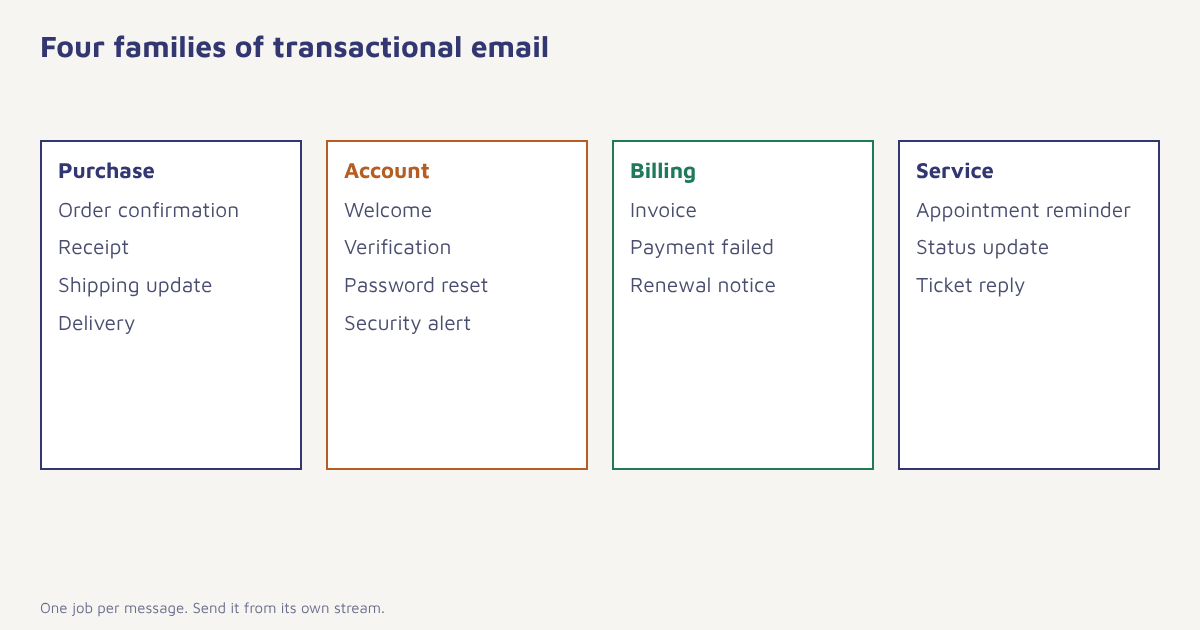
Types of transactional emails and what they need
| Type | Examples | What matters most |
|---|---|---|
| Purchase | Order confirmation, receipt, shipping, delivery, refund | Accuracy, order number, tracking link, support contact |
| Account | Welcome, verification, password reset, login alert | Speed, clear single action, security wording |
| Billing | Invoice, payment failed, renewal, plan change | Amount, date, how to fix, legal details such as GST where applicable |
| Service | Appointment reminder, status update, ticket reply | Time, place, how to change or cancel |
| Compliance | Policy updates, data requests, consent confirmations | Clarity and a record |
What the rules say, in broad terms
Rules differ by country, and you should confirm the details with a legal advisor. In broad terms, the US CAN-SPAM Act treats purely transactional or relationship messages differently from commercial ones, as long as their main purpose is to complete a transaction or give account information, and they must not contain false or misleading header information. In the EU, the GDPR applies to the personal data in every email, including transactional ones. In India, the Digital Personal Data Protection Act applies to personal data, and telecom rules apply to SMS and DLT templates. The consistent lessons are to be honest, to send only what is needed and to keep personal data secure. For SMS, see DLT registration.
Keep marketing out of the critical path. If a message must arrive in seconds, it should never wait behind a campaign. Give transactional mail its own sending stream, its own reputation and its own monitoring.
How to design a transactional email
- One job per message. A password reset should contain a reset button and little else.
- Put the key fact first. Order number, amount, time or code, in the subject and the first line.
- Make the subject specific. “Your order FX-20481 has shipped” beats “An update”.
- Keep it light. Simple layout, few images and plain fallbacks, because these are read on every device and sometimes on slow connections.
- Add a plain-text version. It improves delivery and accessibility.
- Show a human way out. A reply address or support link.
- Use a recognisable sender. For example orders@ and security@ on your domain.
- Be careful with security links. Expire reset links quickly and never include a password in the email.
You can still use a small amount of marketing in the right place, such as a related product in a delivery confirmation. Keep it clearly secondary, relevant and easy to ignore. Build and maintain the layouts in the email builder so that every template looks consistent, and use Liquid for the dynamic parts, as described in the Liquid reference.
{
  "event": "order_shipped",
  "to": "asha@example.com",
  "template": "order_shipped_v3",
  "data": {
    "first_name": "Asha",
    "order_id": "FX-20481",
    "carrier": "Delhivery",
    "tracking_url": "https://track.example.com/FX-20481",
    "eta": "Thu, 5 Nov"
  }
}
Making sure they arrive
Because transactional email is time-critical, deliverability deserves extra care. Send it from a separate subdomain or a separate stream from your marketing campaigns, so that a spam complaint on a promotion cannot slow down a password reset. Authenticate the domain with SPF, DKIM and DMARC (see the setup guide), watch bounce and delay rates in real time, and keep a retry policy for temporary failures. Bounce messages tell you whether an address is invalid or merely full, and your system should treat the two differently. Our deliverability guide goes into more depth, and email warm-up explains how to bring a new sending domain up to speed.
- List every automated message. Walk through your product and billing flows and write down each email a customer receives.
- Separate the stream. Use a dedicated sending domain or subdomain for transactional mail.
- Authenticate. Publish SPF, DKIM and DMARC for that domain.
- Create templates. Write each one with a clear subject, a short body and the right variables.
- Trigger from events. Send from the event, such as an order created, via the API or an automation.
- Add retries and alerts. Retry temporary failures and alert your team when delivery times rise.
- Test with real inboxes. Check rendering and delivery on common providers and on mobile.
- Review monthly. Look at failures, delays and replies.
Transactional email in Flowfox
Flowfox treats transactional messages as events. Your application sends an event such as order_shipped with its data, and the matching template goes out through the email channel, with the same event also available to other channels, for example a shipping update on WhatsApp or SMS. Because the event lands on the contact profile, your marketing journeys can see it too, which lets you pause a promotion while a complaint is open. See the first event guide to send your first one, and developer docs for the API.
What to measure
| Metric | Why it matters |
|---|---|
| Delivery time | Reset codes and order alerts must arrive in seconds |
| Delivery rate and bounces | Shows address quality and reputation |
| Open and click rate | Opens are inflated by privacy features, so rely on clicks on key actions |
| Task completion | Share of password reset emails that lead to a reset |
| Support tickets | Fewer “where is my order” contacts means the emails work |
Common mistakes
- Using the marketing stream. A promotional slowdown delays critical mail.
- Overloading the message. Heavy promotion can change how regulators and filters see it.
- Poor subject lines. Vague subjects get lost and increase tickets.
- No fallback. If email fails for a password reset, offer another route.
- Forgetting to test after changes. A template edit can break a variable.
Nobody celebrates a receipt. Everybody remembers the one that never arrived.
Send reliable transactional messages. Trigger from events, keep streams separate and watch delivery in real time.
For further reading, see SPF, DKIM and DMARC and marketing automation, and visit the blog.
Frequently asked questions
What is a transactional email?
A transactional email is a message triggered by a user action or account event, such as an order confirmation, receipt or password reset, that the recipient needs or expects.
What is the difference between transactional and marketing emails?
Transactional emails are triggered by an individual action and serve to complete or confirm it. Marketing emails promote, are planned by the sender and need marketing permission.
Can I include promotions in a transactional email?
A small, relevant recommendation is common, but heavy promotion can change how the message is treated legally and by filters. Keep the main purpose clear.
Do transactional emails need an unsubscribe link?
Pure service messages often do not need one under many rules, but requirements vary. Offer account-level notification settings and check local law.
Should I use a separate domain for transactional email?
It is good practice to use a separate subdomain or stream so marketing complaints cannot affect time-critical mail.
Why are my transactional emails going to spam?
Common causes are missing authentication, a poor sender reputation, promotional content, broken links or sending from a stream with complaints. Check SPF, DKIM and DMARC first.
How fast should transactional emails arrive?
Critical messages such as verification codes and password resets should arrive within seconds. Monitor delivery time and alert your team when it rises.