Two companies can send the same email to the same person and get different results: one lands in the inbox, the other in spam. A big part of the reason is sender reputation, the running score that mailbox providers keep about who you are and how recipients treat your mail. You cannot buy it and you cannot reset it quickly, but you can build it and protect it. This guide explains what sender reputation is, which signals feed it, how to check it, how to repair a damaged one and how to keep it healthy. For the broader topic of getting mail to the inbox, see our guide to email deliverability; this article focuses on the reputation layer.
What is sender reputation?
Sender reputation is an assessment, made by mailbox providers and spam-filtering services, of how trustworthy your sending is. It is attached to identifiers such as your sending domain and your IP address, and sometimes to the specific brand or sub-domain. Providers do not publish their formulas, and each uses its own, so there is no single universal score. What you can observe is the outcome: good reputation leads to inbox placement, poor reputation leads to spam foldering, throttling or rejection. The wider system of spam filtering relies on many such signals.
Domain reputation vs IP reputation
| IP reputation | Domain reputation | |
|---|---|---|
| Attached to | The server address that sends the mail | The domain in your From address and authentication |
| Changes when | You switch IPs or share an IP with others | You change sending domain; it follows you across IPs |
| Matters most for | Shared infrastructure and new IPs | Established brands and long-term sending |
| Under your control | Fully only on a dedicated IP | Yes, through your own practices |
| Recovery | Slow, can sometimes move to a new IP with warm-up | Slow, usually the longer-lasting asset |
Many providers now place more weight on domain reputation, because it is harder to fake and does not reset when a sender changes IP. That makes your domain the most valuable asset to protect. If you are deciding between a shared and a dedicated IP, read dedicated vs shared IP.
The signals that shape reputation
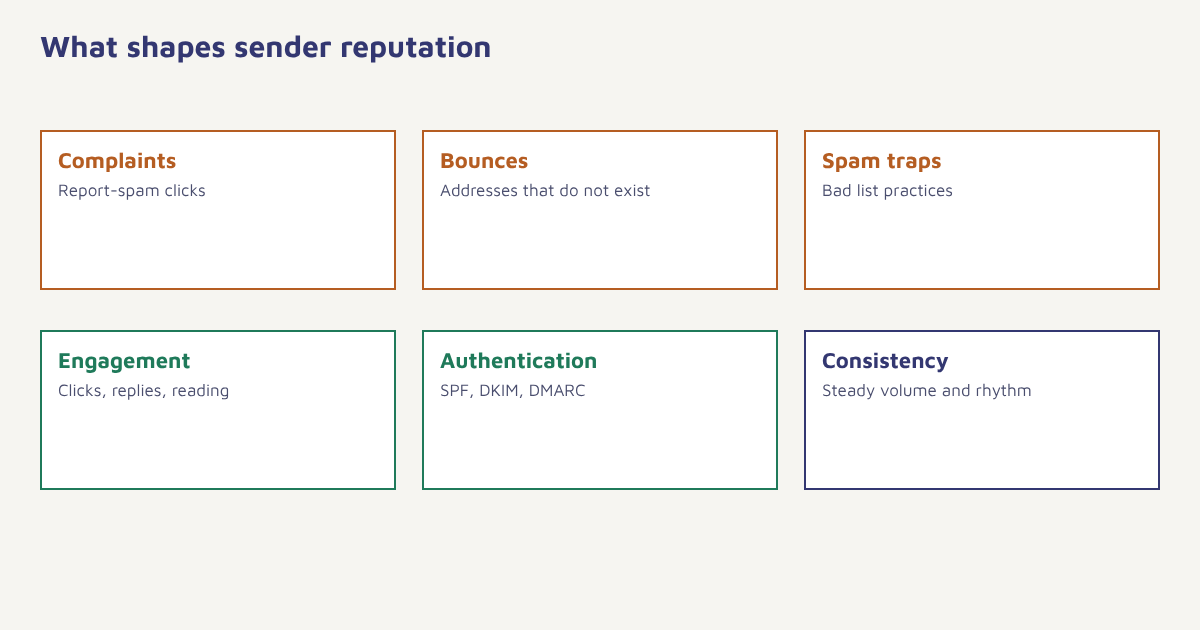
| Signal | What providers see | How to keep it healthy |
|---|---|---|
| Spam complaints | Recipients clicking “report spam” | Send only to people who asked, make unsubscribing easy and visible |
| Hard bounces | Mail to addresses that do not exist | Validate addresses, remove bounces at once. See bounce rate |
| Spam trap hits | Mail to addresses used to catch bad list practices | Never buy lists, remove long-dormant contacts |
| Engagement | Opens, clicks, replies, moves to folders, deletions without reading | Segment and send relevant content. See customer engagement |
| Authentication | SPF, DKIM and DMARC alignment | See authentication setup |
| Volume patterns | Sudden spikes or irregular sending | Ramp up gradually. See email warm-up |
| Content and links | Spammy patterns, bad domains in links | Use clear content and links to reputable domains |
| Unsubscribe handling | Whether opt-outs are honoured | Process requests promptly and use list-unsubscribe headers |
Large mailbox providers have also published sender requirements, particularly for bulk senders, covering authentication, one-click unsubscribe and complaint-rate limits. These rules change and carry specific thresholds, so read the current guidelines from the providers you send to most, such as Google and Yahoo, instead of relying on a number remembered from an article. Complaint rates in particular are watched closely, and even small percentages can matter at scale.
How to check your sender reputation
- Use provider dashboards. Google Postmaster Tools shows domain and IP reputation signals, spam rate and authentication results for Gmail recipients if you verify your domain. Microsoft offers its own tools for Outlook senders.
- Look at your own data. Watch complaint rate, bounce rate, blocks and deferrals by provider in your sending platform.
- Run blocklist checks. Search the major blocklists for your sending IPs and domain. Understand what each list means before reacting.
- Send seed tests. Send to test inboxes at several providers and note where the mail lands.
- Compare engagement by provider. If Gmail engagement is far below Outlook, the issue may be provider-specific.
- Track trends weekly. A slow decline is easier to fix than a collapse.
A DNS blocklist is a public database of IPs or domains reported for spam. Being listed does not always mean you are blocked, since providers use their own lists too, but it is a warning that something needs attention. In Flowfox, delivery, bounce and complaint data are visible in analytics, and suppression happens automatically for hard bounces and unsubscribes.
How to repair a damaged reputation
Recovery takes patience. The goal is to show providers, over weeks, that your mail is wanted.
- Stop the damage. Pause sends to cold or inactive contacts and pull any campaign that triggered complaints.
- Find the cause. Compare complaint spikes with specific campaigns, sources of sign-ups or segments.
- Fix authentication and list hygiene. Correct SPF, DKIM and DMARC, and remove bounces, role accounts and long-inactive addresses.
- Send only to your best segment. Start with people who opened or clicked recently, at modest volume.
- Increase gradually. Add segments in steps while monitoring complaints and bounces. A planned ramp is the same logic as warm-up.
- Request delisting if needed. Follow each blocklist’s process once the cause is fixed.
- Keep it clean. Add suppression rules and sign-up checks so the problem does not return.
A worked example (invented)
An online pharmacy imports 80,000 old customer addresses from a previous system and sends a promotion to all of them. Within a day, complaint and bounce rates jump, Gmail starts placing mail in spam and the next transactional emails, such as order confirmations, are delayed on some providers. The team pauses promotions, separates transactional and promotional streams onto different sub-domains, and sends only to customers who ordered in the last six months, in small daily batches. It adds a re-permission email for older contacts and removes those who do not respond. After several weeks of low complaints and rising engagement, inbox placement recovers. The details are made up, but the pattern is typical: a single careless import can cost weeks of reputation, and separating streams protects the emails that matter most.
Habits that protect reputation over time
- Use double opt-in or address validation. See email list building.
- Separate transactional and marketing streams. Receipts and password resets should not suffer for a bad promotion. See transactional emails.
- Send at a steady rhythm. Avoid unannounced spikes.
- Re-engage or remove inactive contacts. See win-back campaigns.
- Honour unsubscribes instantly. A hidden unsubscribe link just turns into complaints.
- Monitor weekly. Treat complaint rate as a vital sign.
- Match content to promise. What you said at sign-up should be what you send.
Sending also falls under legal rules such as the CAN-SPAM Act in the United States and the DPDP Act in India, which our guide to the DPDP Act covers. Good legal practice and good reputation practice largely overlap: get permission, be honest and let people leave. Because reputation depends on how real people respond to you, the most reliable fix is to send mail they want, a theme that runs through our guides to email marketing and open rates.
Common mistakes
- Buying or renting lists. It brings traps and complaints.
- Blasting the whole list after a long gap. Reintroduce contacts gradually.
- Ignoring small providers. Reputation issues may show first on one provider.
- Fixing only the symptom. Swapping IPs without fixing practices just moves the problem.
- Mixing all mail on one domain. A promotion problem can block receipts.
Reputation is trust, measured by people who never meet you. They judge you by what your last emails did to their inbox.
Keep your sending reputation healthy. Monitor delivery, bounces and complaints, and suppress risky contacts automatically.
Read next: dedicated vs shared IP, email automation examples and the blog.
Frequently asked questions
What is sender reputation?
Sender reputation is mailbox providers’ assessment of how trustworthy your email sending is, based on signals such as complaints, bounces, engagement and authentication.
What is the difference between IP reputation and domain reputation?
IP reputation attaches to the server address that sends your mail. Domain reputation attaches to your sending domain and follows you across IPs, which makes it a longer-lasting asset.
How do I check my sender reputation?
Use provider tools such as Google Postmaster Tools, review complaint and bounce data in your sending platform, check blocklists and send seed tests to see inbox placement.
What damages sender reputation the most?
High spam complaint rates, hard bounces, hits on spam traps, poor engagement and sudden volume spikes usually do the most harm.
How long does it take to repair sender reputation?
It depends on the damage and provider, but recovery usually takes weeks of consistent, low-complaint sending to engaged contacts.
Does a blocklist listing mean my emails are blocked?
Not always. Providers use their own data as well, but a listing is a warning that your practices or list may need attention.
Should transactional and marketing emails use the same domain?
Many senders separate them onto different sub-domains or streams so that a problem with promotions does not delay important messages such as receipts.