Many of the world’s most-downloaded apps are free to install, and most of their revenue arrives later, as small payments made inside the app. Those payments are in-app purchases, and the way they are offered decides whether a free app becomes a business. This guide explains what in-app purchases are, the different types, how they differ from subscriptions and ads, the store rules and fees you must plan around, how to design an offer people understand, how messaging can support it without nagging and what to measure.
What are in-app purchases?
An in-app purchase (IAP) is a payment made inside a mobile app for digital goods or features, such as extra levels, premium filters, ebook chapters, coins, a bigger storage plan or an ad-free experience. The purchase is usually processed through the app store’s own billing system, such as Apple’s App Store or Google Play, which handles payment, receipts and refunds. The model is central to the freemium approach: give the core app away, then earn from users who want more.
Types of in-app purchase
| Type | What it is | Example | Typical fit |
|---|---|---|---|
| Consumable | Used up, then bought again | Game coins, credits, extra lives | Games, tools with usage limits |
| Non-consumable | Bought once, kept permanently | Remove ads, unlock a pro feature | Utilities, creative apps |
| Auto-renewing subscription | Recurring access | Monthly premium plan | Media, fitness, productivity |
| Non-renewing subscription | Fixed-term access without automatic renewal | Season pass | Seasonal content |
| Free trial or intro offer | Temporary access before paying | 7-day trial | Subscription apps |
The best type depends on your product. If value is delivered continuously, such as new workouts each week, a subscription fits. If value is delivered once, such as removing ads, a one-time purchase is simpler and feels fairer. If users consume something, such as credits, consumables work, though they need clear balances and honest pricing.
IAP, subscriptions and ads compared
| In-app purchases | Subscriptions | Advertising | |
|---|---|---|---|
| Who pays | A small share of users | A committed share of users | Advertisers |
| Revenue pattern | Spiky, tied to moments | Predictable, recurring | Scales with usage |
| User experience | Free core, optional extras | Ongoing access | Interruptions |
| Best for | Games, creative tools | Content and services | Large audiences |
| Main risk | Low conversion; pay-to-win complaints | Churn and cancellations | Annoyance, privacy concerns |
Many apps mix models, for example a free tier with ads, a one-time ad-free purchase and a premium subscription. The mix should make sense to the user. If people cannot tell what they get for each option, they buy none of them.
Store rules, fees and policy
Apple and Google both require digital goods sold inside apps to use their billing systems in most cases, and they take a commission on those sales. The percentage, the exceptions and the rules about steering users to outside payment have changed in recent years and differ by country, so check the current developer terms for the markets you serve before you design pricing. Both stores also require clear descriptions of what is sold, honest trial and renewal terms and a way to restore purchases. Rules in India and elsewhere on consumer protection and subscriptions also apply; see the overview of consumer protection and take advice for your own case.
Check before you build. Store commissions, tax treatment and policy exceptions change. Confirm the current terms on Apple and Google developer sites before you finalise prices or flows.
Designing offers people understand
- Show value first. Let users feel the benefit before asking for money.
- Keep options few. Two or three clear tiers beat a long list.
- Be honest about price and renewal. State the price, period, trial length and how to cancel.
- Make the paid benefit specific. “Unlimited exports” beats “Premium features”.
- Place the offer at a moment of need. For example, when a free limit is reached, not at app launch.
- Avoid pressure tactics. Fake countdowns and confusing close buttons damage trust and may break store rules.
- Offer restore and support. People change phones and make mistakes.
How messaging supports in-app purchases
Purchases happen when need meets a timely, clear offer, and messaging can help with both. Used carefully, it explains value, reminds users of what they have not yet tried and brings lapsed users back. Used carelessly, it becomes spam.
| Moment | Message | Channel |
|---|---|---|
| User hits a free limit | Explain the limit and show the upgrade, once | In-app message |
| New user, day 3, has not tried the key feature | Short tip showing the feature | Push or in-app |
| Trial ends in 2 days | Reminder with price and how to cancel | Push, email |
| Payment fails on renewal | Clear update-payment prompt | Email, in-app, push |
| Lapsed subscriber | What is new since they left | Email, WhatsApp within consent |
| Purchase completed | Thank-you and how to get started | Email, in-app |
In Flowfox, app events from the SDK flow into the same profile used for segments and journeys. You can build a segment such as “used the export feature three times, not subscribed” and run a short in-app and push sequence for it. Our guides to push notifications, onboarding and SDKs cover the building blocks, and the media and edtech pages show subscription flows.
How to launch or improve in-app purchases
- Decide what is free and what is paid. The free part must be useful on its own, or users will leave before paying.
- Choose the purchase types. One-time, consumable or subscription, to fit how your value is delivered.
- Set prices by market. Test price points and show local currency. Check store price tiers.
- Build the paywall or offer screen. Clear benefits, price, period, trial terms and cancellation info.
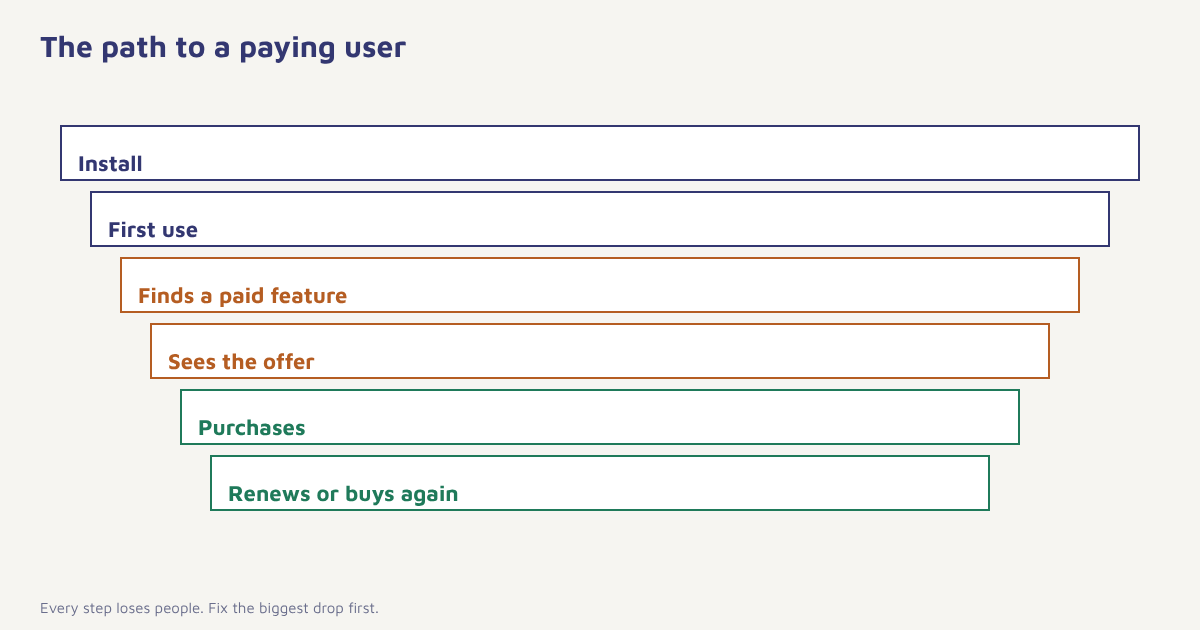
- Track the whole funnel. Offer views, taps, purchases, failures, refunds and renewals. See funnels.
- Support the offer with messages. Timely, relevant and capped in frequency.
- Test one change at a time. Price, copy, trial length and placement. See A/B testing.
What to measure
| Metric | Meaning |
|---|---|
| Install-to-paid conversion | Share of installs that ever pay |
| Offer view-to-purchase rate | How persuasive the offer screen is |
| ARPU and ARPPU | Revenue per user and per paying user |
| Trial-to-paid rate | Share of trials that convert |
| Renewal and churn rate | Subscription health. See retention rate |
| Refund rate | Misleading offers or poor product fit |
| Lifetime value | Long-run worth of a payer. See customer lifetime value |
A worked example
Imagine a photo-editing app with 200,000 installs a month. It offers a free tier with basic filters and a yearly pro plan with a seven-day trial. At first the paywall appears at launch, and few people convert. The team moves the offer to the moment a user taps a locked filter, adds a clear list of three pro benefits and sends a day-5 tip showing a pro tool in use. They also add a reminder two days before the trial ends, with the price and how to cancel. Trial-to-paid improves and refund requests fall, because buyers know what they are paying for. The app and figures are invented, but the lesson holds: timing, clarity and honesty move the numbers more than clever pricing.
Common mistakes
- Asking before showing value. A paywall at launch drives people away.
- Hidden renewal terms. It causes refunds, complaints and store trouble.
- Too many tiers. Choice paralysis lowers conversion.
- Ignoring failed payments. Many lapses are involuntary and recoverable.
- Spamming free users. Cap the frequency.
People pay for relief from a limit they have actually felt, not for a feature list they have only read.
Support every purchase moment. Connect app events to in-app, push, email and WhatsApp journeys.
Read next: product launch marketing, customer engagement and the blog.
Frequently asked questions
What are in-app purchases?
In-app purchases are payments made inside a mobile app for digital goods or features, such as extra levels, premium features, credits or a subscription.
What are the types of in-app purchases?
The main types are consumables, non-consumables, auto-renewing subscriptions, non-renewing subscriptions and free trials or introductory offers.
What is the difference between an in-app purchase and a subscription?
A subscription is one type of in-app purchase that gives recurring access. Other types, such as consumables and one-time unlocks, are paid for individually.
Do app stores take a commission on in-app purchases?
In most cases, yes. Apple and Google charge commissions on digital goods sold through their billing systems, and the rates and exceptions vary, so check the current terms.
How do I increase in-app purchase conversion?
Show value before asking, place offers at moments of need, keep options simple, be honest about price and renewal, and support the offer with timely messages.
When should I show the paywall?
Usually when the user reaches a free limit or taps a paid feature, not at first launch, though you should test placement for your own app.
Can I send push notifications to promote purchases?
Yes, if users have granted permission, but keep messages relevant and limited in frequency, and avoid misleading or pressuring wording.