When you set up bulk email, one question comes up quickly: should we send from a shared IP address or pay for our own? Vendors often push dedicated IPs as the premium choice, and many senders buy one too early, then struggle with it. The honest answer depends on your volume, your consistency and how much control you want. This guide explains what shared and dedicated IPs are, how each affects deliverability, the real costs and risks, how to decide, how to warm up a new dedicated IP and when a pool or a mix makes sense. The reputation basics are in our guide to sender reputation.
What are shared and dedicated IPs?
Every email you send leaves a server with an IP address. On a shared IP, your email provider sends mail for many customers from the same address or pool of addresses. On a dedicated IP, an address is assigned to you alone, so only your mail is sent from it. In both cases, mailbox providers form opinions about the IP based on the mail it carries.
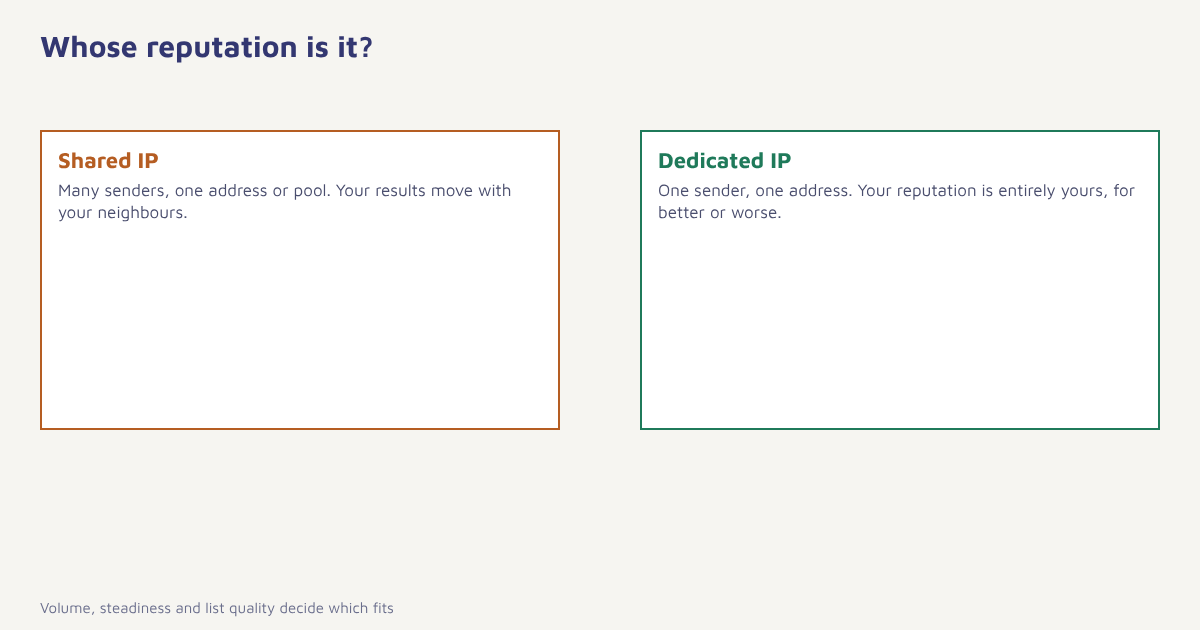
Dedicated vs shared IP at a glance
| Shared IP | Dedicated IP | |
|---|---|---|
| Reputation | Shared with other senders | Entirely yours |
| Setup | Ready immediately | Needs warm-up over weeks |
| Best for lower volume | Yes, steady traffic keeps reputation alive | Risky, low volume gives providers little to judge |
| Best for high, steady volume | Can be limiting | Yes, gives control and clear data |
| Risk from others | Neighbours’ mistakes can affect you, though good providers police them | None from others |
| Control | Limited | High, including separating streams |
| Cost | Usually included | Extra monthly fee |
| Responsibility | Mostly the provider | You, for every send |
When a shared IP is the better choice
Mailbox providers build opinions from patterns. A sender who sends a few thousand emails a month from a dedicated address gives them little to judge, and irregular bursts look suspicious. On a well-managed shared pool, your mail rides alongside plenty of steady, well-behaved traffic, and the provider has already built reputation there. Shared IPs are usually the sensible choice if:
- You send modest volumes, or volume that swings widely from week to week.
- You are new to email and have no sending history.
- You do not have time to monitor reputation closely.
- Your provider actively screens customers and removes abusers from the pool.
The weakness is that you do not control your neighbours. A reputable provider screens new customers, monitors complaint rates and moves bad senders out, so ask how they do it. A shared pool with lax rules can harm you through no fault of your own.
When a dedicated IP makes sense
- You send large volumes on a regular schedule, for instance daily or weekly campaigns of substantial size.
- You want full control of your reputation and clear data about it.
- You send very different kinds of mail and want to separate them, such as transactional on one IP and marketing on another. See transactional emails.
- You have a clean list, good authentication and a team that watches the numbers.
- You were hurt by a neighbour on a shared pool and your own sending is excellent.
There is no single volume threshold that applies to everyone. Providers and consultants quote different figures, and what matters most is whether you send regularly enough to keep a reputation active and large enough to be judged fairly. Ask your provider for guidance based on your actual pattern, and treat any blanket rule with caution.
A dedicated IP does not fix a bad list. If your contacts are old, purchased or unengaged, a dedicated IP will build a bad reputation faster, because there is nobody else’s good mail to dilute it.
Warming up a new dedicated IP
A new IP has no history, so mailbox providers treat it cautiously. Warm-up is the process of building trust by sending gradually increasing volumes to your most engaged contacts. Our full guide is in email warm-up; the outline is below.
| Week | Volume (illustrative) | Audience |
|---|---|---|
| 1 | Small daily batches | Most engaged contacts, opened or clicked in last 30 days |
| 2 | Roughly doubling | Engaged in last 60 days |
| 3 | Doubling again | Engaged in last 90 days |
| 4 | Approaching full daily volume | Broader active list |
| 5 onward | Full volume | Normal schedule with monitoring |
Real schedules depend on your target volume and on how mailbox providers react, so adjust based on complaints, bounces and deferrals instead of following a fixed table. Pause or slow down if you see problems, and avoid sending a promotion to a cold list during warm-up.
How to decide: a short method
- Measure your volume and rhythm. How many emails a month, how steady and how many streams?
- Check your list quality. Bounce rate, complaint rate and the share of engaged contacts. See bounce rate.
- Check authentication. SPF, DKIM and DMARC aligned on your own domain. See authentication setup.
- Ask your provider. How are shared pools screened, what dedicated options exist and what do they cost?
- Start shared if unsure. Move to dedicated when volume and quality justify the effort.
- Plan the move. Warm up gradually, keep some traffic on the old route during transition and monitor each provider.
- Review yearly. Volume and needs change.
In Flowfox, the email channel supports sending through shared infrastructure with screening, and dedicated options can be set up for senders with the volume and discipline to benefit. Delivery, bounce and complaint data are shown in analytics.
A worked example (invented)
A fashion marketplace sends about 300,000 emails a month: a weekly newsletter, flash-sale campaigns and order updates. Its transactional mail is vital, and a past incident on a shared pool delayed order confirmations. The team takes two dedicated IPs, one for transactional mail and one for marketing, and keeps the sub-domains separate. Over five weeks it warms the marketing IP with engaged subscribers, while transactional mail starts on its own IP with the small steady volume it already has. It monitors complaints weekly and keeps a small share of the marketing traffic on shared infrastructure during peak sale days as a safety valve. Afterwards, the team can see its own reputation clearly and a bad campaign no longer endangers receipts. A smaller store sending 20,000 emails a month would likely not benefit from the same setup. The figures are illustrative only.
IP pools and other options
| Option | What it means | Good for |
|---|---|---|
| Shared pool | Many customers share a set of IPs | Smaller or irregular senders |
| Dedicated IP | One IP for you | Large, steady senders |
| Dedicated pool | Several IPs for you, mail spread between them | Very high volume |
| Separate IPs per stream | Transactional, marketing and lifecycle apart | Protecting critical mail |
| Dedicated plus fallback | Dedicated IP with shared capacity for spikes | Seasonal peaks |
Whichever you choose, domain reputation and email authentication matter as much as the IP. Providers increasingly weigh your DKIM signing domain, so keep it consistent. And remember that the underlying issue is always the same: send wanted mail to people who asked for it, as covered in our guides to deliverability and list building.
Common mistakes
- Buying a dedicated IP for low volume. It leaves too little signal for providers.
- Skipping warm-up. Blasting from a cold IP triggers blocks.
- Moving a bad list to a new IP. The reputation problem follows.
- Not monitoring. Dedicated means you are on duty.
- Assuming shared is always unsafe. A well-run pool can be excellent.
A dedicated IP is not an upgrade. It is a responsibility that pays off only when you can carry it.
Send from infrastructure that fits your volume. Start with managed delivery and see the numbers that matter.
Read next: email open rate, email automation examples and the blog.
Frequently asked questions
What is the difference between a dedicated and a shared IP?
A shared IP carries mail from many senders and shares reputation among them. A dedicated IP is assigned to one sender, who alone shapes its reputation.
Do I need a dedicated IP for email marketing?
Not necessarily. Many senders do well on well-managed shared infrastructure. A dedicated IP suits large, steady senders with clean lists who want control.
How much email do I need to send to justify a dedicated IP?
There is no universal threshold. Providers quote different figures, so decide based on your volume, regularity and list quality, and ask your provider for advice.
What is IP warm-up?
IP warm-up is gradually increasing sending volume from a new IP, starting with your most engaged contacts, so mailbox providers learn to trust it.
Can a shared IP hurt my deliverability?
It can if the provider lets poor senders into the pool. Choose a provider that screens customers, monitors complaints and removes abusers.
Will a dedicated IP fix poor inbox placement?
Not by itself. Problems caused by list quality, authentication or content will follow you to a dedicated IP.
Should I use separate IPs for transactional and marketing email?
Many larger senders do, because it stops a marketing problem from delaying critical messages such as receipts and password resets.