“Hi {first_name}” was personalization a decade ago. Today, readers barely notice a name in the greeting, but they do notice an email that knows what they bought last month, which city they live in or that they have not opened your app in three weeks. This guide goes beyond definitions and shows twelve concrete email personalization examples, grouped from simple to advanced, with the data each one needs, the rule behind it and the point where personal turns uncomfortable. If you want the broader theory, our guide to marketing personalization covers it; here we focus on what to put in the email.
A ladder of personalization
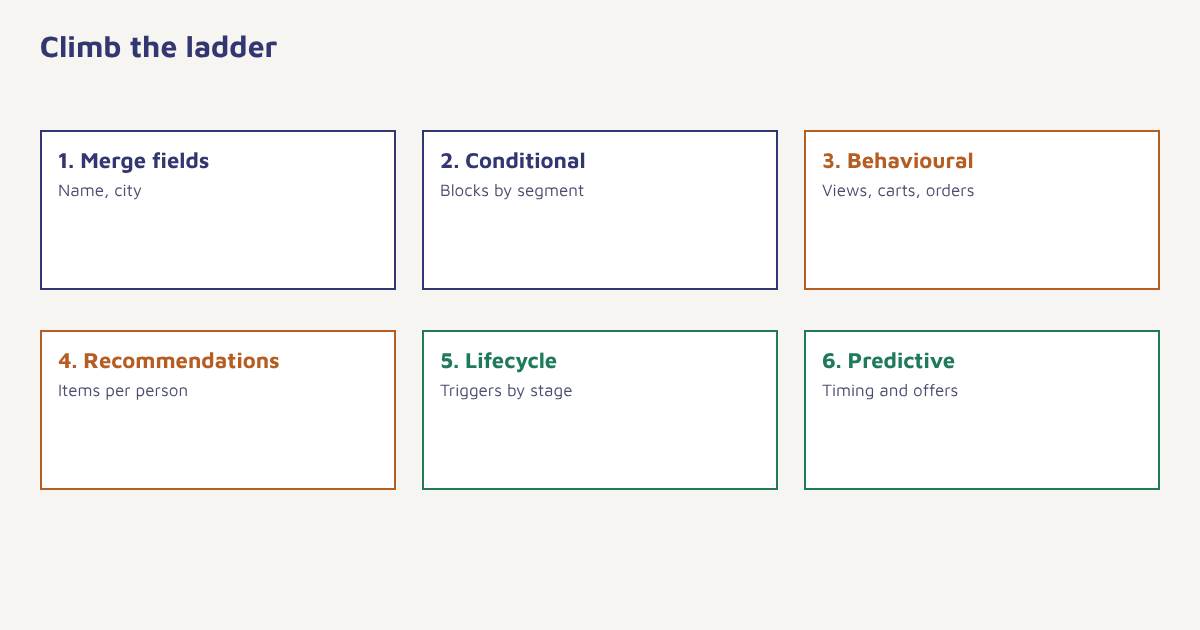
| Level | What changes | Data needed | Effort |
|---|---|---|---|
| 1. Merge fields | Name, city, company | Profile attributes | Low |
| 2. Conditional content | Blocks shown or hidden by segment | Segment membership | Low to medium |
| 3. Behavioural content | Reflects views, carts, purchases | Event data | Medium |
| 4. Recommendations | Items chosen per person | Browsing and order history | Medium to high |
| 5. Lifecycle triggers | Message timed to the customer stage | Events and dates | Medium |
| 6. Predictive | Send time or offer chosen by a model | Rich history and modelling | High |
Examples 1 to 3: profile-based
The simplest form is a mail merge: replacing a placeholder with a stored value. It works best where the detail is genuinely useful, not just decorative.
| # | Example | How it works |
|---|---|---|
| 1 | Subject line with first name or city: “Aarti, your weekend plan in Jaipur” | Merge fields from the profile, with a fallback when data is missing |
| 2 | Local content: store hours or event for the customer’s city | Conditional block based on the city attribute |
| 3 | Language or script: Hindi or English body by preference | Language attribute chooses the template version |
Subject: {first_name|there}, your weekend plan in {city|your city}
Body:    IF city = "Jaipur" SHOW block_jaipur_event
         ELSE SHOW block_online_offer
The code above is pseudocode for the idea; every platform has its own syntax. In Flowfox, the Liquid templating guide shows the real syntax, including defaults for missing values. Always set a fallback so that a blank field never produces “Hi ,”.
Examples 4 to 7: behaviour-based
| # | Example | Trigger | Read more |
|---|---|---|---|
| 4 | “You left this in your cart” with the exact items | Cart event, no order | Cart recovery |
| 5 | “Still thinking about it?” showing the viewed product | Product viewed, no cart | Browse abandonment |
| 6 | “Back in stock” for an item the customer asked about | Stock event plus a saved request | Back-in-stock alerts |
| 7 | “Time to reorder” at the usual interval | Days since last order versus average gap | Repeat purchase rate |
These emails feel helpful because they respond to something the customer did. They also tend to be among the best performers, since intent is already visible. In Flowfox, a journey listens for the event, waits, checks the condition and sends the message. The data model page explains how events are stored.
Examples 8 to 10: content and offers
| # | Example | How it works |
|---|---|---|
| 8 | Product recommendations chosen per recipient | Rules such as “bought X, show accessories for X”, or a recommendation engine. See recommendation engines |
| 9 | Tailored offer by value: premium range for big spenders, bundles for bargain hunters | Segments from RFM analysis and behavioural segmentation |
| 10 | Content by interest: running guides for runners, yoga for yoga fans | Tags or category affinity from browsing and purchases |
Examples 11 and 12: lifecycle and timing
| # | Example | How it works |
|---|---|---|
| 11 | Anniversary or birthday message with a small gift | Date attributes, collected with permission. See birthday and anniversary emails |
| 12 | Sent at the hour the person usually opens | Per-person timing from history. See best time to send email |
Other lifecycle moments include a welcome message when someone joins, an upgrade nudge when they hit a plan limit or a win-back note when they go quiet; see the customer lifecycle guide and win-back campaigns.
Where personal turns creepy
The line between helpful and intrusive is set by the customer, not by the data. A useful test: would the recipient be surprised to learn how you knew this? A reminder about a cart they filled on your site is expected. A message that mentions something they browsed elsewhere, or a sensitive inference about health, money or family, is not. Collect data with clear notice and consent, use it for the purposes you stated and give people control. The idea of personalization always has to sit alongside privacy, and in India that means the duties described in our guide to the DPDP Act. Where possible, ask customers directly about their preferences, which gives you clean data they gave willingly; see zero-party data and first-party data.
Rule of thumb. Personalise what helps the customer decide or act. Skip anything that only shows off how much you know.
How to roll out personalization step by step
- Audit your data. List which attributes and events you hold, how fresh they are and how many profiles are complete.
- Fix the basics. Clean names, cities and languages, and set fallbacks for missing values.
- Add one behavioural trigger. Start with the cart or browse reminder, using journeys.
- Add conditional blocks to your newsletter. Show a different feature block to each of two or three segments. See email newsletters.
- Test against a generic version. Keep a small holdout that receives the standard email. See A/B testing.
- Measure revenue per recipient. Compare clicks, orders and unsubscribes, not just opens.
- Expand slowly. Add the next rung only when the previous one proves its value.
Flowfox builds personalization on one profile that holds attributes, events and consent, so the same data drives segments, dynamic email content and reports. Our ecommerce page shows how retailers apply these ideas.
A worked example
A sports store sends a monthly email to its whole list of 50,000. The team rebuilds it with three conditional blocks: a running block for people who bought running gear, a gym block for gym buyers and a general block for everyone else, plus a product row chosen from each person’s last category viewed and a fallback when no history exists. They keep ten percent of the list on the old generic email as a comparison. After two months, the personalised version shows a higher click rate and more orders per thousand emails than the control, while unsubscribes stay level. The store and the numbers are invented to illustrate the setup; your own results may be different, which is exactly why the holdout matters.
Keeping personalization honest
Document what you personalise on and why. A simple table listing each field, where it came from and which emails use it makes audits easy and helps new team members avoid accidental misuse. Review it twice a year and remove fields you no longer need. The background on data minimisation is a helpful principle here: collect and use only what supports a clear purpose. When customers ask what you know about them, you should be able to answer simply.
Common mistakes
- No fallbacks. “Hi ,” looks careless.
- Stale data. Recommending something already bought.
- Over-personalising the subject. Repeated names can feel gimmicky.
- Ignoring consent. Using data in ways people did not expect.
- Skipping the control group. You cannot prove it worked.
- Too many variants. More versions than you can maintain or review.
The best personalization is the kind the customer experiences as simply being useful.
Personalise from one profile. Combine attributes, events and consent to make every email relevant.
Read next: email copywriting, customer 360 view and the blog.
Frequently asked questions
What are examples of email personalization?
Examples include merge fields such as name and city, content blocks by segment, cart and browse reminders, product recommendations, reorder reminders, birthday messages and sending at each person’s usual open time.
Is using the first name enough personalization?
It is a basic start, but readers now expect more. Behaviour-based and context-based content usually matters more than a name.
What data do I need for email personalization?
Start with profile attributes, then add events such as views, carts and orders, plus consent status and preferences.
How do I avoid personalization that feels creepy?
Use data customers expect you to have, be transparent, avoid sensitive inferences and ask customers about their preferences directly.
How do I handle missing data in merge fields?
Always set a fallback value, such as there for a missing first name, or use conditional blocks that hide the field entirely.
How do I measure whether personalization works?
Compare personalised emails with a generic control group on clicks, orders per recipient and unsubscribes, not only opens.
Does personalization affect deliverability?
Relevant emails tend to earn more engagement, which can help reputation. Broken merge fields or irrelevant content can hurt it.