Most customer data is gathered by watching: what someone clicked, what they bought, when they came back. Zero-party data works the other way. It is information a customer deliberately and proactively tells you, such as their size, their budget, the topics they care about or how often they want to hear from you. Instead of guessing intent from behavior, you ask and listen. This guide explains what zero-party data is, how it differs from first-party data, the best ways to collect it, how to use it in messages and journeys, and how to keep the exchange fair so that people keep answering.
What is zero-party data?
The term was popularised by the research firm Forrester to describe data that a customer intentionally and proactively shares with a brand. It includes preferences, purchase intentions, personal context and how the person wants to be recognised. The key words are intentional and proactive: the customer chooses to give it, usually in return for something useful. It is a subset of customer data that sits alongside first-party data, which you observe, as explained in our guide to first-party data.
Zero-party vs first-party data
| Zero-party data | First-party data (observed) | |
|---|---|---|
| How it is obtained | Customer tells you | You observe behavior |
| Example | “I prefer evening deliveries” | Orders are usually placed after 8 pm |
| Nature | Stated intent and preference | Inferred from actions |
| Accuracy | High for what was asked, can go stale | Reflects real actions, can be misread |
| Consent | Given in the act of sharing, still needs notice | Needs notice and often consent |
| Effort | Needs a reason for the customer to answer | Collected as people interact |
| Best for | Preferences, intent, context | Patterns, timing, value |
The two work best together. Observed behavior tells you what a person did. Stated preference tells you why, or what they want next. When they disagree, ask rather than assume: a customer who buys gifts for others may look like a fan of a category they never use themselves.
Ways to collect zero-party data
| Method | What you learn | Tips |
|---|---|---|
| Preference center | Topics, frequency and channel | Offer it at sign-up and in every email footer |
| Onboarding questions | Goals, role, experience level | Two or three questions, not twenty |
| Quizzes and finders | Skin type, style, budget, use case | Give a useful result in return, such as a recommendation |
| Polls in email or app | Quick opinions and interests | One tap, with an instant result |
| Post-purchase survey | Why they bought, who it was for | Ask after delivery. See survey question ideas |
| Wish lists and saved items | Intent and timing | Use for reminders and back-in-stock alerts |
| Conversational prompts | Answers in a WhatsApp or chat thread | Only within consent. See WhatsApp chatbots |
| Birthday and occasion fields | Dates that matter to them | Explain the benefit. See birthday and anniversary emails |
Make the exchange worth it
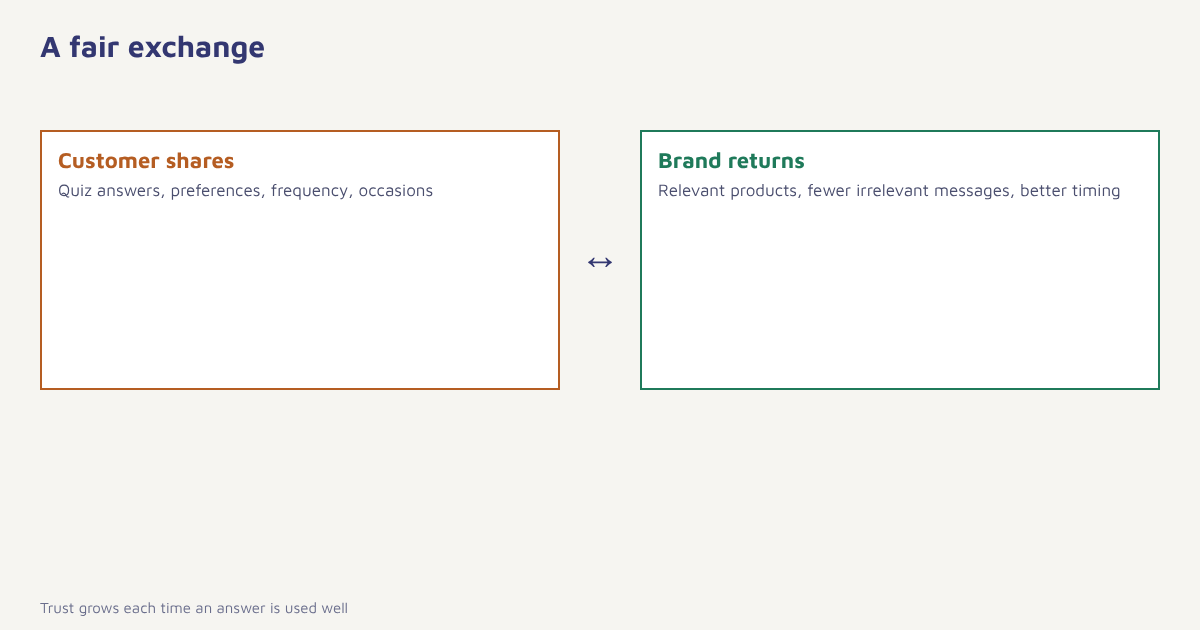
People share when the return is clear and quick. A quiz that ends with a recommendation, a preference center that cuts the emails they do not want, an onboarding question that sets up their account correctly: each gives something back at once. Avoid questions that feel like a form to be filled for the company’s benefit. Always say how the answer will be used, and then actually use it. Nothing kills participation faster than being asked for your preferences and then receiving the same generic message.
- List the decisions you cannot make from behavior. For example, whether a customer is buying for themselves or as a gift, or how often they want email.
- Write the smallest question that settles each one. Prefer multiple choice and a single question per screen.
- Ask at the right moment. At sign-up, after first purchase or when a preference is clearly relevant.
- Offer something in return. A recommendation, a better-tuned feed, a small benefit that does not depend on the answer being a particular one.
- Store the answer on the profile. Save it as an attribute with source and date. See the data model.
- Use it visibly. Change the next message, the product order or the frequency, and say so.
- Let people update it. Preferences change. Make editing easy.
In Flowfox, answers land on the contact profile as attributes, so a quiz result can drive a segment and a journey straight away, and preferences per channel sit beside consent. Progressive collection over several interactions is covered in our guide to progressive profiling.
Using zero-party data in practice
| Answer collected | Message or journey it enables |
|---|---|
| Prefers WhatsApp to email | Send order updates and reminders on WhatsApp, within consent |
| Interested in beginner running | Welcome series with beginner tips, not performance gear |
| Buying for a gift | Gift guides, delivery before a date, no repeat marketing to the recipient |
| Wants monthly updates only | Monthly digest instead of weekly newsletters |
| Skin type: sensitive | Product recommendations filtered accordingly |
| Budget: under a stated amount | Highlight value ranges and bundles |
The same answers feed personalization, segmentation and the customer lifecycle. Compare how a stated preference performs against an inferred one, using a holdout group, and keep the one that wins for each use.
A worked example
A small skincare brand adds a four-question quiz to its website: skin type, main concern, current routine and whether the visitor is shopping for themselves or someone else. The result page shows three suggested products and asks, as an optional last step, for an email address to save the results. Visitors who complete the quiz are added to a segment tied to their stated concern, and receive a three-email series about that concern with product tips. The brand compares the series with its generic welcome emails and finds that quiz-based subscribers click more and buy more often. The brand and results are invented to illustrate the method; actual outcomes depend on the audience and the quality of the questions.
Privacy and honesty
Because customers volunteer it, zero-party data feels low-risk, but it is still personal data. Tell people why you are asking, store it securely and respect withdrawal. Avoid asking for sensitive information such as health conditions, religion or finances unless you truly need it and have a clear lawful basis; under the DPDP Act and the GDPR, notice and purpose limits apply regardless of how the data was obtained, and some categories carry extra requirements, so take advice for your own case. Do not use stated answers in ways that would surprise the person, and never invent answers for customers who did not give them. For a broader view, read about consent management and the DPDP Act guide.
Measuring whether it works
Treat each question as a small experiment. Track how many people answer, how many skip, and what changes for those who answer. Compare click rate, conversion and unsubscribe rate between customers who gave a preference and a similar group who did not, using a holdout so that you are not fooled by the fact that engaged people answer more often. Watch for question fatigue: if completion falls as you add questions, remove the least useful ones. Also check for mismatch between stated and observed behavior. When a customer says they want weekly deals but never clicks them, the better move may be to ask again, not to override the stated choice. The idea of listening before acting is close to voice of the customer programmes, and our guide on the voice of the customer goes deeper.
Common mistakes
- Asking for everything at once. Long forms lose people. Spread questions over time.
- Collecting and not using. Unused answers make future questions feel pointless.
- Letting answers go stale. Add dates and refresh periodically.
- Overriding stated preferences. If someone asks for monthly email, do not send weekly.
- Treating it as a replacement for behavior. Use both.
Behavior shows what a customer did. Zero-party data lets them tell you what they meant.
Ask, listen and respond. Turn preferences and quiz answers into segments and journeys.
Read next: first-party data, progressive profiling and the blog.
Frequently asked questions
What is zero-party data?
Zero-party data is information a customer intentionally and proactively shares with a brand, such as preferences, interests, purchase intentions and communication choices.
What is the difference between zero-party and first-party data?
Zero-party data is what the customer tells you. First-party data is what you observe from their behavior, such as clicks, views and purchases.
What are examples of zero-party data?
Quiz answers, preference center settings, onboarding choices, poll responses, wish lists, birthday dates and stated budget or size.
How do I collect zero-party data?
Use preference centers, short quizzes, onboarding questions, polls and post-purchase surveys, and give the customer something useful in return.
Is zero-party data covered by privacy law?
Yes. It is still personal data, so notice, purpose limits, security and withdrawal rights apply. Check current rules with your legal advisor.
Why would customers share their data?
They do when the exchange is fair and quick, for example a better recommendation or fewer irrelevant messages.
How do I keep zero-party data accurate?
Store it with a source and date, let customers edit their answers easily and refresh important questions periodically.