Sending the same message to every customer is the most expensive habit in marketing. A first-time visitor, a loyal buyer who ordered last week and someone who has not opened an email in a year need different things, and treating them alike wastes budget and trust. Customer segmentation fixes that by splitting your audience into groups that behave or look alike, so each group gets a message that fits. This guide explains the main types, the RFM method, how to build segments with real examples, and the mistakes that make segmentation useless.
What is customer segmentation?
Customer segmentation is the practice of dividing customers into groups based on shared traits, then treating each group differently. It is the day-to-day application of the wider idea of market segmentation. A segment can be as broad as “customers in Rajasthan” or as precise as “bought twice in the last 60 days, never used a coupon, opened WhatsApp messages”. The test of a good segment is simple: you would send it something different from what you send everyone else.
Why segmentation matters
- Relevance raises response. A message that matches what someone just did gets read. A generic one gets ignored.
- It protects your sender reputation. Mailing the people who engage and resting the rest lowers complaints, which helps email deliverability.
- It cuts cost. On paid channels such as SMS and WhatsApp, every message you do not need to send is money saved.
- It shows where revenue comes from. A small group of customers usually produces a large share of sales. Knowing who they are changes how you spend time.
The main types of customer segmentation
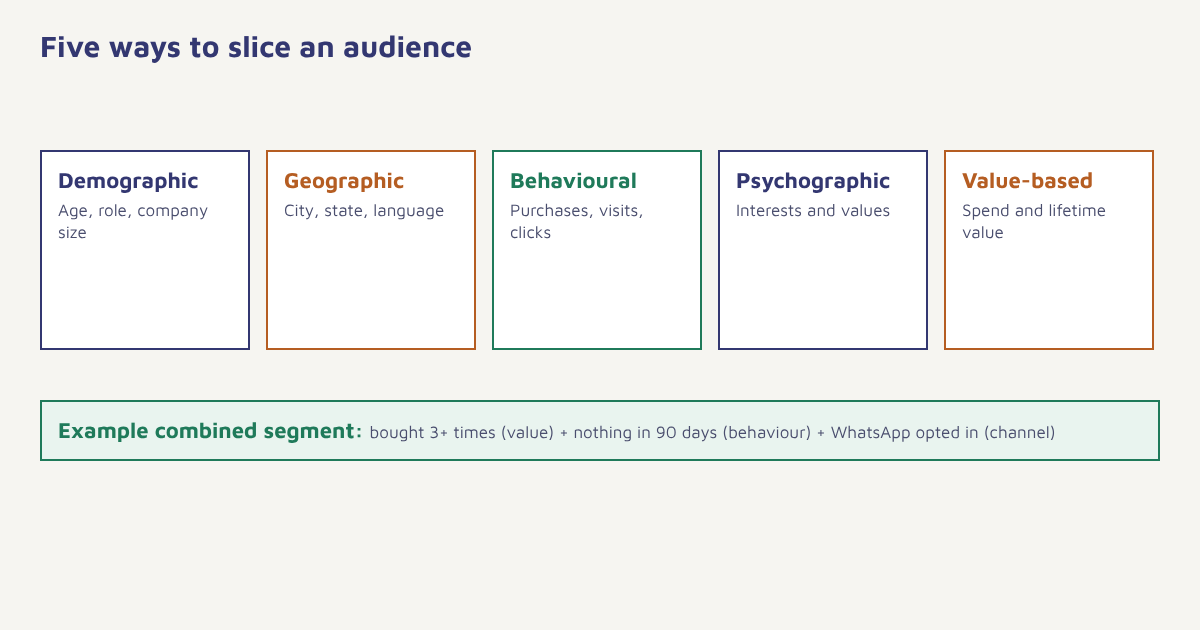
| Type | Based on | Example segment | Typical use |
|---|---|---|---|
| Demographic | Age, gender, income band, occupation, company size | Founders at companies with 11 to 50 staff | B2B targeting, product fit |
| Geographic | Country, state, city, climate, language | Customers in Jaipur | Local offers, language choice, delivery messages |
| Behavioural | Actions: purchases, visits, feature use, email clicks | Added to cart in the last 24 hours, did not buy | Triggers and recovery |
| Psychographic | Interests, values, lifestyle, attitudes | Runners who prefer sustainable brands | Creative and positioning |
| Value-based | Spend, margin, lifetime value, plan | Top 10 percent by lifetime spend | Loyalty, VIP treatment, retention |
| Lifecycle | Stage in the relationship | New this week; at risk; lapsed | Onboarding, win-back |
Behavioural and value-based segments usually pay off fastest because the data is already in your system and it reflects what people actually do rather than what you guess about them.
RFM: the simplest powerful method
RFM analysis scores each customer on three questions: how recently they bought, how frequently they buy, and how much money they spend. You rank customers on each and combine the scores into groups. It needs only order data, which almost every business has.
| Segment | Recency | Frequency | Monetary | What to do |
|---|---|---|---|---|
| Champions | Very recent | High | High | Reward, ask for reviews and referrals, early access |
| Loyal | Recent | High | Medium to high | Upsell, loyalty perks |
| Potential loyalists | Recent | Low to medium | Medium | Encourage second and third purchase |
| At risk | Long ago | Was high | Was high | Personal win-back before they leave |
| Hibernating | Very long ago | Low | Low | Light-touch reactivation, then suppress |
| New customers | Very recent | One order | Any | Welcome series and onboarding |
Start with three buckets. Do not build twelve segments on day one. Begin with new, active and lapsed, send each a different message for a month, and add detail only where the results justify it.
How to segment your customers, step by step
- Define the goal. Pick one outcome: more second orders, fewer cancellations, higher repeat revenue. The goal decides which attributes matter.
- Gather the data you already have. Orders, sign-up source, location, plan, last login, email and WhatsApp engagement. Our data model guide explains how people, events and transactions fit together.
- Choose two or three dimensions. For example last purchase date plus order value plus preferred channel.
- Write the rules. Turn each segment into a precise filter with a time window. Vague segments produce vague results.
- Check the size. If a segment has fewer than a few hundred people you cannot measure results. If it has everyone, it is not a segment.
- Send a different message to each. Change the offer, the channel or the timing, not just the first name.
- Measure and refine. Compare conversion by segment against a holdout group and adjust the rules each month.
Customer segmentation examples
| Business | Segment rule | Message |
|---|---|---|
| Online store | Ordered once, 30 to 45 days ago, no second order | Reorder reminder with a small perk |
| Edtech | Signed up for a course, no lesson started in 7 days | Nudge with a short first lesson and a mentor link |
| SaaS | Trial day 5, has not connected data | Setup help and a booking link |
| Clinic | Last visit over 6 months ago | Check-up reminder by WhatsApp |
| Fintech | Loan application started, not submitted | Document checklist by SMS |
You can see many more ready-made rules inside the industry solutions, for example ecommerce, edtech and healthcare.
Building segments in Flowfox
In the segment builder you combine conditions on attributes (city, plan), events (purchase completed, cart abandoned) and aggregates (orders in the last 90 days) with and/or logic. Segments are dynamic: people enter and leave automatically as their behaviour changes, so you never export and re-import a list. Static lists are available for one-off uploads. The segment rules guide walks through the operators, and the notes on contacts show how profiles are stored.
{
  "name": "At risk - high value",
  "match": "all",
  "rules": [
    { "field": "orders_count", "op": ">=", "value": 3 },
    { "field": "lifetime_value", "op": ">=", "value": 10000 },
    { "event": "purchase_completed", "op": "not_within", "value": "90 days" },
    { "field": "whatsapp_opt_in", "op": "=", "value": true }
  ]
}
That sketch describes customers who used to buy often and spend well but have gone quiet for 90 days. Attach it to a journey that sends a personal WhatsApp message first and an email a few days later, and you have a retention flow in minutes. The first journey tutorial shows how to connect the two.
How to tell whether segmentation is working
| Check | What good looks like |
|---|---|
| Segment conversion vs one-size message | Higher conversion and lower unsubscribe rate in segmented sends |
| Holdout comparison | Contacts who received nothing convert less than those who got the segment message |
| Segment stability | People move between segments as behaviour changes, rather than sitting forever |
| Revenue per message | Rises in the top segments without hurting the rest |
Use analytics to compare segments side by side, and the funnels guide to see where each group drops off.
Segmentation and consent
Segments decide who is relevant, not who you are allowed to contact. Keep consent for each channel on the profile and make every segment respect it, so a person who agreed to email is not messaged on WhatsApp because they match a rule. In India, the Digital Personal Data Protection Act, 2023 places duties on how personal data is collected and used, including a need for clear notice and a way to withdraw consent. Segment on data you actually need, avoid sensitive attributes unless there is a clear reason, and be ready to delete or exclude a person quickly when they ask.
Common mistakes
- Too many segments. If you cannot write a different message for each, merge them.
- Static lists that go stale. A list exported in January is wrong by March. Use dynamic rules.
- Guessing instead of measuring. Assumptions about age or gender often beat nothing but lose to behaviour.
- Ignoring consent. Segments only decide who is relevant, not who you may contact. Respect channel permissions.
- Treating segmentation as a one-off project. Review rules every quarter.
A segment earns its place the day you send it something different.
Build your first dynamic segment. Combine behaviour, value and channel consent in the visual builder and attach it to a journey.
Segmentation pairs naturally with mapping the journey: read our guide to customer journey mapping, then use these segments to target the stages where people stall. For the retention side see customer churn rate and customer retention strategies. More ideas live on the Flowfox blog.
Frequently asked questions
What is customer segmentation?
Customer segmentation is dividing your customers into groups with shared characteristics or behaviour so you can send each group more relevant messages and offers.
What are the main types of customer segmentation?
The common types are demographic, geographic, behavioural, psychographic, value-based and lifecycle segmentation. Most marketers combine two or three of them.
What is RFM segmentation?
RFM scores customers on recency of purchase, frequency of purchase and monetary value. The combined scores create groups such as champions, loyal, at risk and hibernating.
How many customer segments should I have?
Start with three to five that you can act on differently. More segments only help if you can write a distinct message or offer for each.
What data do I need for customer segmentation?
Start with what you already have: orders, sign-up source, location, plan, last activity and channel engagement. Behavioural data from events adds the most value.
What is the difference between a segment and a list?
A list is a fixed set of contacts, usually uploaded once. A dynamic segment is defined by rules, so contacts join and leave automatically as their data changes.
How often should I update customer segments?
Dynamic segments update automatically. Review the rules and the results every quarter, or whenever your product, pricing or channels change.