Your analytics tell you what users do inside the app. They rarely tell you why. A short survey can fill that gap, if you ask the right questions at the right moment, in the right form. Ask too much, too often or at the wrong time, and users dismiss the prompt or leave bad reviews. This guide covers the main kinds of app survey, over 40 example questions you can adapt, when to show them, how to deliver them in-app, by push and by email, how to keep response rates up, how to read the answers and how to act on what you learn.
Why survey your app users?
Surveys turn guesses into evidence. They help you find out why new users drop off, which features matter, what to build next, whether support is working and how loyal people feel. The best programmes combine this stated feedback with behaviour data, because what people say and what they do can differ. A user may say a feature is important and never touch it, or complain about something that barely affects their usage. The broader field is described under survey methodology, and good practice from it applies to app prompts too: clear wording, neutral questions and a respectful length.
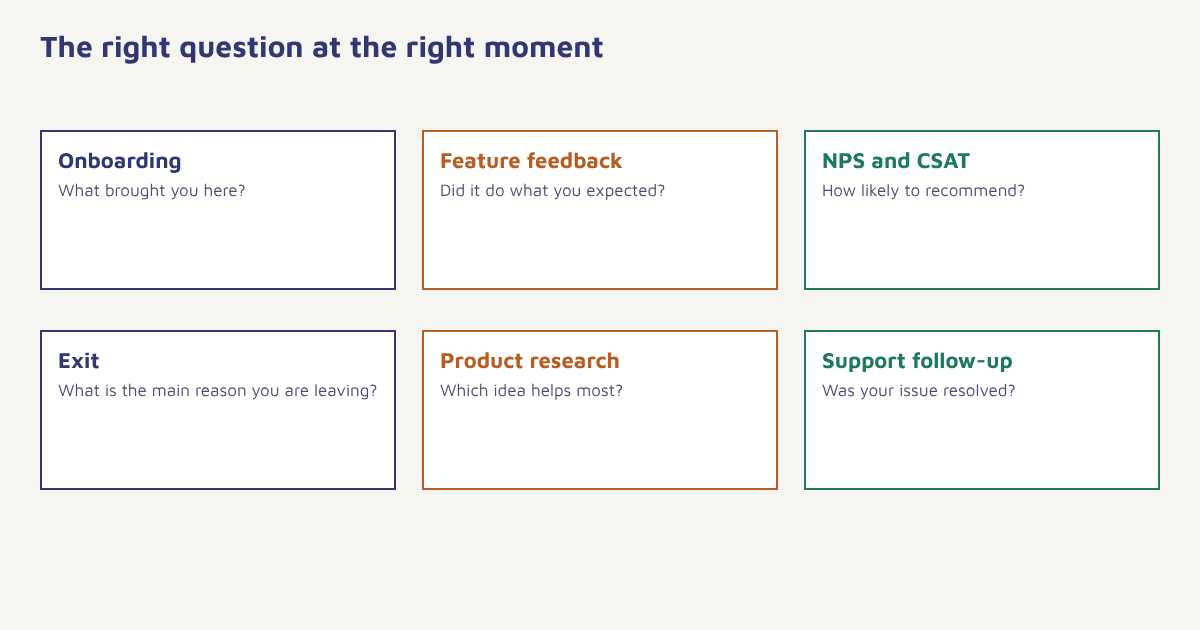
Types of app survey
| Type | When to ask | Purpose |
|---|---|---|
| Onboarding survey | During or right after sign-up | Learn goals and tailor the first experience |
| Feature feedback | Just after someone uses a feature | Find out if it helped and what is missing |
| NPS, CSAT and CES | After key moments or at intervals. See NPS, CSAT and CES | Track loyalty and satisfaction |
| Exit or cancellation survey | When someone uninstalls, cancels or goes inactive | Understand why they leave |
| Product research | Occasionally, to a sample | Test ideas, prioritise the roadmap |
| Support follow-up | After a ticket closes | Measure service quality |
Example questions you can adapt
Onboarding
- What brought you to the app today?
- What is the one thing you most want to get done?
- How did you hear about us?
- How familiar are you with apps like this? (new, some experience, expert)
- Which of these topics are you most interested in? (select up to three)
Feature feedback
- How easy was it to use this feature? (1 to 5)
- Did this feature do what you expected?
- What is one thing we could improve here?
- How disappointed would you be if this feature went away?
- What did you try to do and could not?
Satisfaction and loyalty
- How likely are you to recommend this app to a friend or colleague? (0 to 10)
- How satisfied are you with the app overall? (1 to 5)
- What is the main reason for your score?
- What would make you rate us higher?
- How would you describe the app to a friend in one sentence?
Exit and cancellation
- What is the main reason you are leaving? (too expensive, missing feature, hard to use, not using it enough, found an alternative, other)
- What could we have done to keep you?
- Which app are you switching to, if any?
- Would you consider coming back if we changed something? What?
Product research
- Which of these three ideas would help you most?
- How do you currently handle this task?
- What is the most frustrating part of that?
- How much time do you spend on it each week?
- Would you be open to a 15-minute chat about it?
Mix question styles. Rating scales and multiple choice are quick to answer and easy to count. One open-ended question per survey, usually at the end, captures the words your users actually use, which are valuable for copy and for the value proposition.
When to show a survey
| Trigger | Good practice |
|---|---|
| After a success moment | Ask after the user finishes a task or reaches a milestone, not in the middle of one |
| After a delay | Wait for a few sessions before asking for overall ratings |
| After an error or support contact | Ask what went wrong, briefly |
| On exit signals | Cancellation screen or a long period of inactivity |
| Never during critical flows | Avoid payment, sign-in and onboarding steps that need focus |
Set limits: no more than one survey per user in a given period, never right after a previous prompt and respect dismissals. In Flowfox, events from the app SDK trigger in-app surveys at the right moment, and the journey builder lets you add frequency rules and move non-responders to a short email or push follow-up. Guidance on formats is in our in-app messaging guide.
How to run an app survey
- Decide what you will do with the answers. If no decision depends on a question, drop it.
- Pick the audience. Segment by behaviour, for example new users, power users or at-risk users. See behavioral segmentation.
- Write short, neutral questions. One idea per question, no leading words, no jargon.
- Keep it to three to five questions. The first should be easy to answer in one tap.
- Choose the delivery. In-app for context, push or email for those who left.
- Test it. Try it on real devices and with a few users before the full send.
- Close the loop. Thank people, fix what you can and tell them what changed.
Raising response rates
- Ask less. Every extra question loses people.
- Ask in context. A question right after the experience is easier to answer.
- Make it one tap. Start with a rating or choice.
- Explain why. “Help us improve the export tool” works better than “Take our survey”.
- Be honest about length. “Two quick questions” and mean it.
- Offer something small, where appropriate. An incentive should not push people to give flattering answers.
- Make it dismissible. A forced survey breeds resentment.
Reading and using the answers
Count the closed answers and break them down by segment: new versus experienced users, platform, plan, country. A single average hides important differences. Read the open comments in batches and group them into themes such as price, speed, missing feature and confusion; counting themes often shows a clear top three. Compare survey answers with behaviour: do the users who say a feature is important actually use it? Then decide actions, assign owners and tell users what changed. Surveys that lead to visible changes raise future response rates, while those that vanish into a spreadsheet teach users to ignore you.
A worked example
A meditation app notices that many new users stop after day three. It adds a two-question prompt for users who have not returned for five days, sent by push and then email: “What got in the way?” with options for time, not sure what to try, sessions too long, or other, followed by an optional comment. Most answers say “not sure what to try”. The team adds a short guided first week and a day-two message suggesting one three-minute session. A follow-up survey two months later shows fewer people citing confusion. The app and results are invented, but the pattern, a trigger from behaviour, a short question, a clear theme and a tested fix, is worth copying.
Be careful with personal data. Tell users how answers will be used, keep identifiers separate where you can and respect opt-outs; see the DPDP Act guide. For research on how feedback links to growth, read about the Net Promoter Score and our guides to customer engagement and retention.
Writing questions that people can answer
Small wording choices change answers. Avoid double questions such as “Was the app fast and easy?”, use balanced scales with a clear midpoint and label the ends. The craft of questionnaire design offers more detail, but the short version is to test your survey on five people and watch where they hesitate.
Common mistakes
- Asking at the wrong time. Interrupting a task invites a bad score.
- Leading questions. “How great was our new feature?” biases answers.
- Long surveys. Completion drops quickly.
- Surveying everyone the same way. Segment by behaviour.
- Collecting without acting. Users notice when nothing changes.
A good survey question is one you are willing to change something because of.
Ask at the moment it matters. Trigger in-app surveys from behaviour and follow up on other channels.
Read next: the customer feedback loop, in-app purchases and the blog.
Frequently asked questions
What questions should I ask in an app survey?
Ask about goals at onboarding, ease and usefulness after a feature is used, satisfaction and likelihood to recommend, reasons for leaving at exit, and ideas to test in research.
How many questions should an app survey have?
Three to five is usually enough, starting with an easy one-tap question and ending with at most one open comment.
When is the best time to show an in-app survey?
After a success moment or completed task, after a few sessions for overall ratings, and never during payment, sign-in or other critical flows.
How do I increase survey response rates in my app?
Keep it short, ask in context, make the first question one tap, explain why you are asking, make it dismissible and show that you act on answers.
Should I use push notifications to send surveys?
Push can work for users who have left or gone inactive, if they have granted permission, but keep it short and do not overuse it. In-app prompts are better for contextual feedback.
What is the difference between NPS, CSAT and CES?
NPS measures likelihood to recommend, CSAT measures satisfaction with an experience and CES measures how easy something was. Each suits different moments.
How should I analyse open-ended survey answers?
Read comments in batches, group them into themes such as price or speed, count the themes and compare them across user segments.