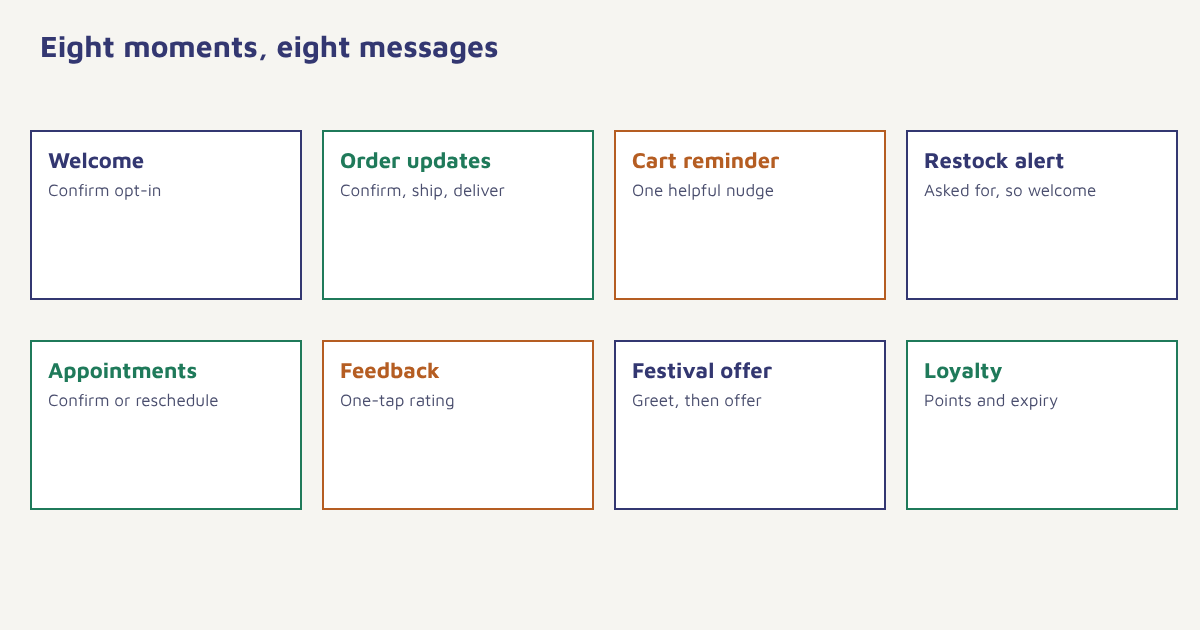
Reading the rules of WhatsApp marketing is one thing. Knowing what to actually send is another. This guide collects practical examples that businesses of different kinds can adapt: welcome messages, order updates, cart reminders, restock alerts, appointment flows, loyalty nudges, feedback requests and festival offers. For each, you will see the idea, the timing, a sample message in a plain style and the thing to watch out for. The samples are illustrative wording, not tested copy, and every message assumes the customer has opted in.
What good WhatsApp marketing looks like
WhatsApp is a personal space. People read messages there quickly and expect them to come from someone they know or a service they asked for. That is a strength for businesses, because attention is high, and a risk, because a bad message gets blocked in a tap. The best examples share five habits. They are expected, because the person asked. They are useful, with a clear reason to read. They are short, since most are read on a phone in seconds. They make the next step easy, with a button or a one-word reply. And they come at a sensible frequency. If you are new to the channel, start with our guide to WhatsApp marketing and message templates.
1. Welcome and opt-in confirmation
Send a welcome the moment someone opts in, to confirm what they signed up for and set expectations. Keep it to three or four lines: thank them, say what you will send and how often, and give a one-word way to stop.
Sample (illustrative). Hi Asha, thanks for joining updates from Nilgiri Tea. Expect one message a week with new blends and offers. Reply STOP any time to opt out.
Watch out for: promising more than you deliver. If you say weekly, send weekly or less.
2. Order and delivery updates
Order confirmations, dispatch notices and delivery updates have some of the highest read rates because customers want the information. They also build trust for the offers that follow. Keep these purely transactional.
Sample (illustrative). Your order FX-20481 has shipped and should arrive by Thursday. Track it here: [link]. Questions? Just reply to this message.
Watch out for: mixing in promotions, which may change the message category. See transactional messaging for the principle, which applies on every channel.
3. Cart reminder
A reminder sent one to a few hours after someone leaves a cart can bring back a share of lost sales. Name the item, keep the tone helpful and link back to the cart. A second message a day later can add a small reason to return, if your margins allow. Our guides to abandoned cart recovery and WhatsApp cart recovery explain the timing and testing in detail.
Sample (illustrative). Hi Rohan, your Trail Runner shoes are still in your cart. Need help with size or delivery? Tap below and we will sort it out.
4. Back-in-stock and price alerts
If a customer asked to be told when something returns, a restock message is the most welcome marketing message you can send. Send it promptly, because popular items sell out again, and include the product name and a direct link. See back-in-stock alerts for the full flow.
Sample (illustrative). Good news Meera: the indigo cotton kurta in size M is back in stock. We have a small batch, so tap below if you still want it.
5. Appointment and booking flows
Clinics, salons, tutors and service providers can confirm bookings, remind clients a day before and offer a reschedule button. Reminders cut no-shows, and buttons make replies effortless. Health-related messages carry extra privacy duties, so keep details minimal and check the rules that apply to you. See healthcare patient communication.
Sample (illustrative). Reminder: your appointment with Dr. Kapoor is tomorrow at 11:30. Tap Confirm or Reschedule.
6. Feedback and review requests
A short rating request a few days after delivery gets answers because it is one tap away. Route low scores to a person, and invite higher scores to share a review. Read more in our guides to review requests, NPS, CSAT and CES and user-generated content.
Sample (illustrative). How was your order, Asha? Tap a number from 1 to 5. Your answer helps us improve.
7. Festival and seasonal offers
Festivals are natural moments for WhatsApp. Greet first, then offer. Send in the days before the occasion, not during it, and limit the number of messages. A greeting with no sales pitch can do more for goodwill than another discount. See our festival marketing campaigns guide for planning and Christmas promotion ideas for seasonal examples.
Sample (illustrative). Wishing you and your family a bright festival, Vikram. Our seasonal sale is live until Sunday. Browse the collection below.
8. Loyalty and win-back nudges
Points balances, tier upgrades and reminders that rewards are about to expire all suit WhatsApp, as does a gentle check-in for customers who have gone quiet. Keep the tone friendly and offer a reason to return. See loyalty programs and win-back campaigns.
Sample (illustrative). You have 420 points, Neha, and 80 of them expire on the 30th. Redeem them on anything in the store.
Which example fits which goal?
| Goal | Best example | Metric to watch |
|---|---|---|
| Build trust | Order and delivery updates | Read rate, support queries |
| Recover sales | Cart reminder | Recovered orders per 100 reminders |
| Increase repeat purchase | Restock, loyalty, replenishment | Repeat purchase rate |
| Reduce no-shows | Appointment reminders | No-show rate |
| Collect feedback | Rating request | Response rate, score trend |
| Drive seasonal sales | Festival offer | Revenue per message, block rate |
How to launch your first three flows
- Collect opt-in properly. Use a clear checkbox or a click-to-chat consent step and store the record.
- Pick three flows. Order updates, cart reminders and a feedback request are a strong start.
- Create and submit templates. Write for each flow and wait for approval.
- Build the triggers. Connect each message to an event such as order placed or cart abandoned.
- Set frequency limits. Cap total messages per customer per week across all flows.
- Measure and adjust. Look at read rate, reply rate, conversions and blocks, and change one thing at a time.
In Flowfox, these flows are journeys on the WhatsApp channel, triggered by events in the data model and limited by consent stored on the contact profile. Results appear in analytics. The ecommerce and edtech pages show full sector examples.
A worked example (invented)
An online tea seller, invented for this example, launches three WhatsApp flows. Orders trigger a confirmation and a shipping update. A cart left for two hours triggers one reminder. Seven days after delivery, a one-tap rating request goes out, and scores of 3 or below route to a human. After a month the team compares groups: customers who received the cart reminder against a small holdout who did not. They also check block rate, which stays low because the messages are expected and infrequent. Based on what they see, they add a restock alert next. The numbers are not given because they are made up, but the order of work, from transactional trust to recovery to feedback, is a sensible path.
Another idea worth considering is conversational commerce, where the chat itself becomes the shop: customers ask a question, see a product and pay without leaving the thread. You do not need to start there. Begin with the simple flows above, learn how your customers respond and add richer interactions once you have a steady base of opted-in contacts. See also WhatsApp commerce for the next step.
Common mistakes
- Starting with promotions. Earn attention with useful messages first.
- Copying a sample word for word. Use your own voice and facts.
- Long messages. Phones favour short, scannable text.
- No reply path. If customers answer, someone should respond.
- Ignoring blocks. A rising block rate is a warning to cut frequency or improve relevance.
The best WhatsApp marketing message is one the customer is glad to see, and doesn’t realise is marketing.
Launch your first WhatsApp flows. Connect events, templates and consent in one journey builder.
Read next: WhatsApp broadcast, WhatsApp chatbots and the blog. For wider context, see Meta’s WhatsApp Business site, which describes the platform’s current features.
Frequently asked questions
What are good examples of WhatsApp marketing messages?
Welcome and opt-in confirmations, order and delivery updates, cart reminders, back-in-stock alerts, appointment reminders, feedback requests, festival offers and loyalty nudges.
How often should I send WhatsApp marketing messages?
Less often than email. Many businesses start with one to four a month for promotions, plus transactional updates when events happen, and adjust by watching blocks and replies.
Do I need permission to send WhatsApp marketing messages?
Yes. You should have clear opt-in from each recipient, store a record of it and make opting out easy.
What is the best WhatsApp message to start with?
Order and delivery updates and a welcome message are low-risk starting points because customers expect them and read them.
Can I send images and buttons in WhatsApp marketing?
Yes, templates can include media in the header and buttons such as quick replies and links, subject to Meta’s current rules.
How do I measure WhatsApp marketing success?
Track delivery, read rate, reply rate, conversions or revenue per message, and block or report rate, ideally against a holdout group.
Can WhatsApp replace email marketing?
Usually not. WhatsApp suits short, timely, personal messages, while email suits longer content. Many businesses use both.