A WhatsApp broadcast sounds simple: write one message and send it to many people. In practice there are three very different ways to do it, with different limits, rules and risks. The free app has broadcast lists that work only for people who saved your number. The Business API sends template campaigns at scale with proper opt-in. And a third, unofficial route, using automation on a personal number, gets accounts banned. This guide explains the options, the rules that apply, how to build a broadcast list the right way, what a good broadcast message looks like and how to measure the result.
What is a WhatsApp broadcast?
A WhatsApp broadcast is a message sent to many recipients at once, where each person receives it as an individual chat, not as part of a group. Recipients cannot see who else got it, and replies come back privately. Businesses use broadcasts for order updates, offers, event reminders and announcements. Because WhatsApp is a personal messaging space, the platform is strict about who may be messaged and how, and our guide to WhatsApp marketing covers the strategy. This page focuses on the mechanics.
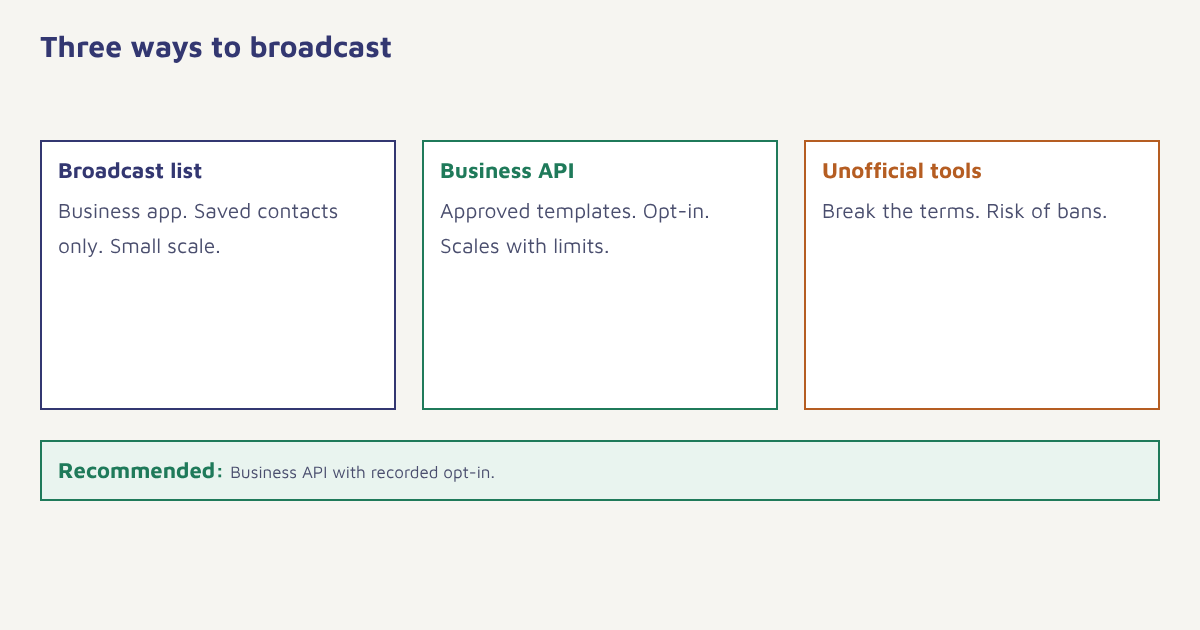
Your options compared
| Broadcast list (Business app) | Business API campaign | Unofficial bulk tools | |
|---|---|---|---|
| Who can receive | Contacts who saved your number | Customers who opted in | Anyone, which is the problem |
| Size | Limited per list | Scales to large audiences, subject to messaging limits | Appears unlimited |
| Message type | Free-form | Approved templates, free-form inside the 24-hour window | Unapproved |
| Personalisation | None or minimal | Variables per recipient | Varies |
| Reporting | Basic delivered and read | Detailed, per campaign | Unreliable |
| Risk | Low, but limited | Low with good practice | High: bans and legal exposure |
If you only need to update fifty regular customers, a broadcast list in the Business app can be enough. If you plan campaigns, automation or more than a few hundred recipients, you need the Business API. Our guide to the WhatsApp Business API explains how to get access, and we advise against unofficial tools. They violate WhatsApp’s terms, and a banned number is hard to recover.
The rules for API broadcasts
- Opt-in. You need clear, recorded permission from each person to message them on WhatsApp, and it must say what they will receive.
- Templates. A business-initiated message must use a template approved by Meta, with the right category. See template approval.
- The 24-hour window. When a customer replies, you can message freely for 24 hours. After that, templates again.
- Quality rating. Meta tracks how recipients react. Blocks and reports lower your quality rating, which can reduce your limits or pause templates.
- Messaging limits. The number of people you can start conversations with in a period depends on your quality and verification status, and the exact tiers and rules change over time. Check Meta’s current documentation.
- Pricing. Meta charges according to message category and country, and the pricing model has changed in recent years, so check the current rate card before you plan a large send.
The summary: you get high attention and good conversion if you stay inside the rules, and you lose the channel quickly if you do not. For the approval side in India, see DLT and Meta approvals.
How to build a broadcast list people want
- Offer a clear reason. Order updates, early access to sales, appointment reminders: say exactly what people will get.
- Ask permission in the right place. At checkout with an unticked box, on a landing page, through click-to-chat ads or in-store QR codes.
- Record the consent. Store the date, source and the wording they saw.
- Confirm the opt-in. Send a first message that confirms the subscription and explains how to stop.
- Let people choose topics. Offers, order updates and news are different interests. Preferences reduce blocks.
- Make leaving easy. Honour “stop” immediately and update your records.
- Keep the list clean. Remove numbers that never receive or never respond.
The same principles as in our email list building guide apply: quality beats size, and consent must be specific to the channel. Someone who joined your email list has not agreed to WhatsApp messages.
Writing a broadcast people read
WhatsApp is a conversation, not a billboard. Keep the message short, put the point in the first line, use the person’s name if you have it and finish with one clear next step, such as a button. Use quick-reply or call-to-action buttons where the template supports them, add an image only when it helps and avoid shouting in capitals. Avoid sending too often. A weekly offer to people who asked for monthly updates leads to blocks. Here is a simple structure for an offer template.
Hi {{1}}, your Trail Runner size {{2}} is back in stock.
We kept it for you until {{3}}.

[View product]   [Not interested]
The “Not interested” button is worth including. It gives people a polite alternative to blocking you, and you can use the reply to suppress that person from future offers.
Broadcast ideas by purpose
| Purpose | Example | Template category |
|---|---|---|
| Order updates | Shipped, out for delivery, delivered | Utility |
| Appointment reminders | Tomorrow at 11 am, with reschedule button | Utility |
| Back in stock or price drop | For a product the customer viewed | Marketing |
| Festival offers | Early access for members | Marketing |
| Event invites | Webinar or store event with RSVP buttons | Marketing |
| Feedback | One-tap rating after delivery | Utility or marketing |
| Payment reminders | Bill due with a pay link | Utility |
Categories and their rules are set by Meta, so check the current definitions when you register a template. See our guides to abandoned cart recovery and loyalty programs for ideas on where WhatsApp fits.
Running broadcasts in Flowfox
In Flowfox, a WhatsApp broadcast is a campaign sent to a segment. You pick an approved template, map its variables to contact fields, choose the audience in the segment builder and schedule it in campaigns. Because consent is stored per channel on the contact profile, people without WhatsApp permission are excluded automatically. You can throttle the send, so you stay inside your limits and can watch the first results before the rest go out. Replies land in the conversation view, where a chatbot or your team takes over. For automated, event-driven messages rather than one-off sends, use a journey. See the WhatsApp channel page for details.
Measuring a broadcast
| Metric | What it tells you |
|---|---|
| Sent and delivered | Reach and number validity |
| Read rate | Interest, subject to the recipient’s read receipt setting |
| Button clicks and replies | Real engagement |
| Conversions and revenue | The business result |
| Blocks and reports | Whether you are sending too much or to the wrong people |
| Quality rating and limits | Account health |
Compare against a holdout where you can, and look at results by segment. Read rates look high on WhatsApp, but conversions and the number of people who block you matter more. See email marketing metrics for how to think about measurement in general.
For context on why platforms police bulk messaging so closely, read about opt-in permission models and the broader problem of messaging spam. Meta’s own business pages explain the current rules, and they are the source to trust over any blog post, including this one, because limits, categories and prices are adjusted regularly. Re-check them before each large campaign, and keep a short note of the date you last checked in your campaign plan.
Common mistakes
- Using personal numbers for bulk sending. It violates the terms and gets numbers banned.
- Messaging people without opt-in. Blocks lower your quality rating.
- One message to everyone. Segment by interest and behaviour.
- Sending too often. Frequency is the top reason for blocks.
- No way to say no. Offer an opt-out button.
On WhatsApp, permission is the product. Spend it carefully.
Broadcast on WhatsApp the right way. Send approved templates to consented segments, with limits and reporting built in.
Read on: SMS templates and omnichannel marketing, or browse the blog.
Frequently asked questions
What is a WhatsApp broadcast?
A WhatsApp broadcast is a message sent to many recipients at once where each person receives it as an individual chat and cannot see the other recipients.
How do I send a WhatsApp broadcast to many people?
For small audiences, use a broadcast list in the Business app. For campaigns at scale, use the WhatsApp Business API with approved templates and recorded opt-in.
Can I broadcast to people who have not saved my number?
Not with a broadcast list in the app. With the Business API you can message opted-in customers using approved templates, whether or not they saved your number.
Do I need opt-in for WhatsApp broadcasts?
Yes. You need clear, recorded permission from each person to message them on WhatsApp, stating what they will receive.
What is the WhatsApp broadcast limit?
Limits depend on the route. Broadcast lists in the app have a cap, and API messaging limits depend on your quality rating and verification. Check Meta documentation for current tiers.
Are WhatsApp bulk sender tools safe?
Unofficial tools that automate personal numbers violate WhatsApp terms and risk permanent bans. Use the official Business API through an approved provider.
How do I avoid being blocked on WhatsApp?
Message only opted-in people, segment by interest, keep frequency low, write useful short messages and include an easy way to opt out.